 ATOMIC NOTES
Quick answer
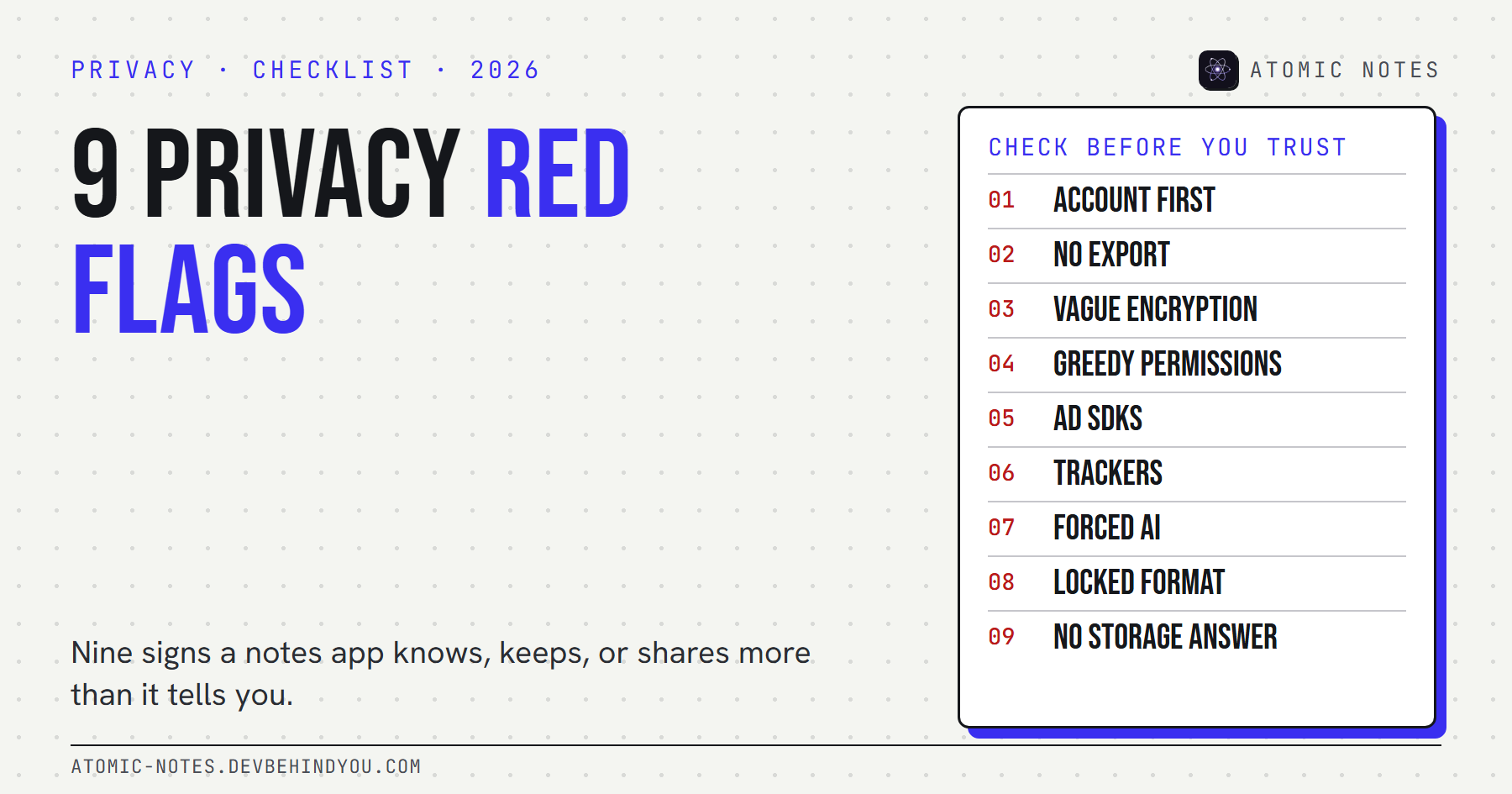
Notes app privacy comes down to three questions: where your notes are stored, who holds the encryption key, and who pays for the app. Nine red flags answer those questions for you, from forced accounts and vague encryption to ad SDKs, trackers, and AI that reads everything. Each one takes about a minute to check.
Evernote users got a surprise in December 2016. A privacy policy update said some employees could read notes to oversee the company's machine learning features. The backlash was so loud that Evernote reversed course two days later and made the program opt-in.
Nobody had been hacked. A notes app had simply written down what it was allowed to do with the most personal text people own.
That's the uncomfortable truth about notes app privacy. The risk usually isn't a breach. It's the fine print, the libraries inside the app, and the business model behind it. I build Atomic Notes, a privacy focused notes app for Android, and these nine red flags are the checklist I use on other apps, and on my own.
Is your notes app private?
Probably less than it feels. Notes app privacy matters more than most app privacy, because notes hold passwords people shouldn't keep there, health worries, money plans, and half-finished ideas. That makes them more revealing than almost any other app on your phone.
Notes app privacy also isn't only about whether someone reads your notes. A note can expose you without anyone opening it, through the server that stores it, the analytics code that watches you write, the ad network that profiles you, the AI provider that processes the text, and the backups that keep it after you delete it.
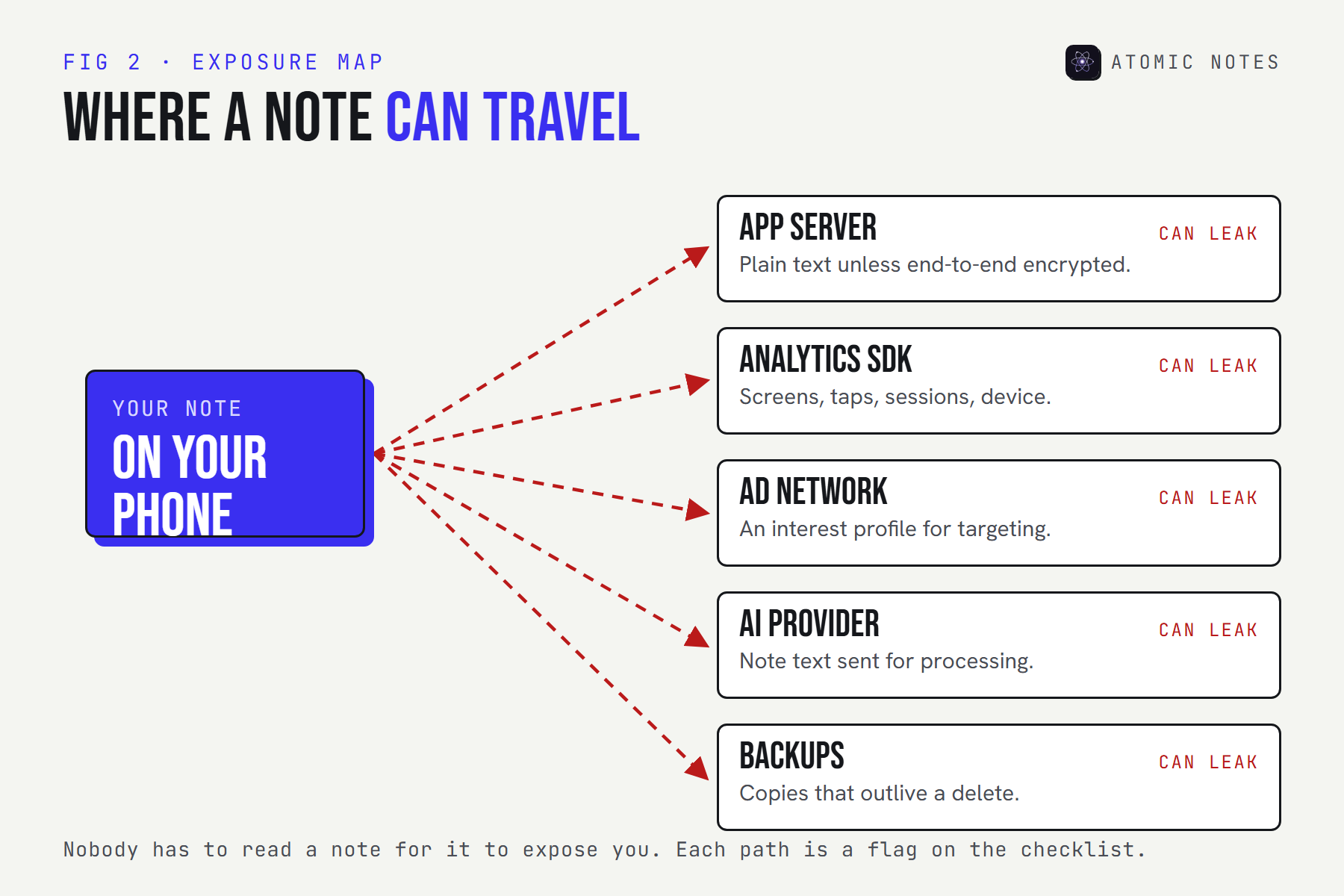
So asking "is my notes app private?" means asking three plainer questions:
- Where are my notes stored? On my phone, on the company's servers, or in storage I control?
- Who holds the key? If the company can decrypt my notes, it can read them, share them, or hand them over.
- Who pays? If I'm not paying, someone else is, and they usually pay for data.
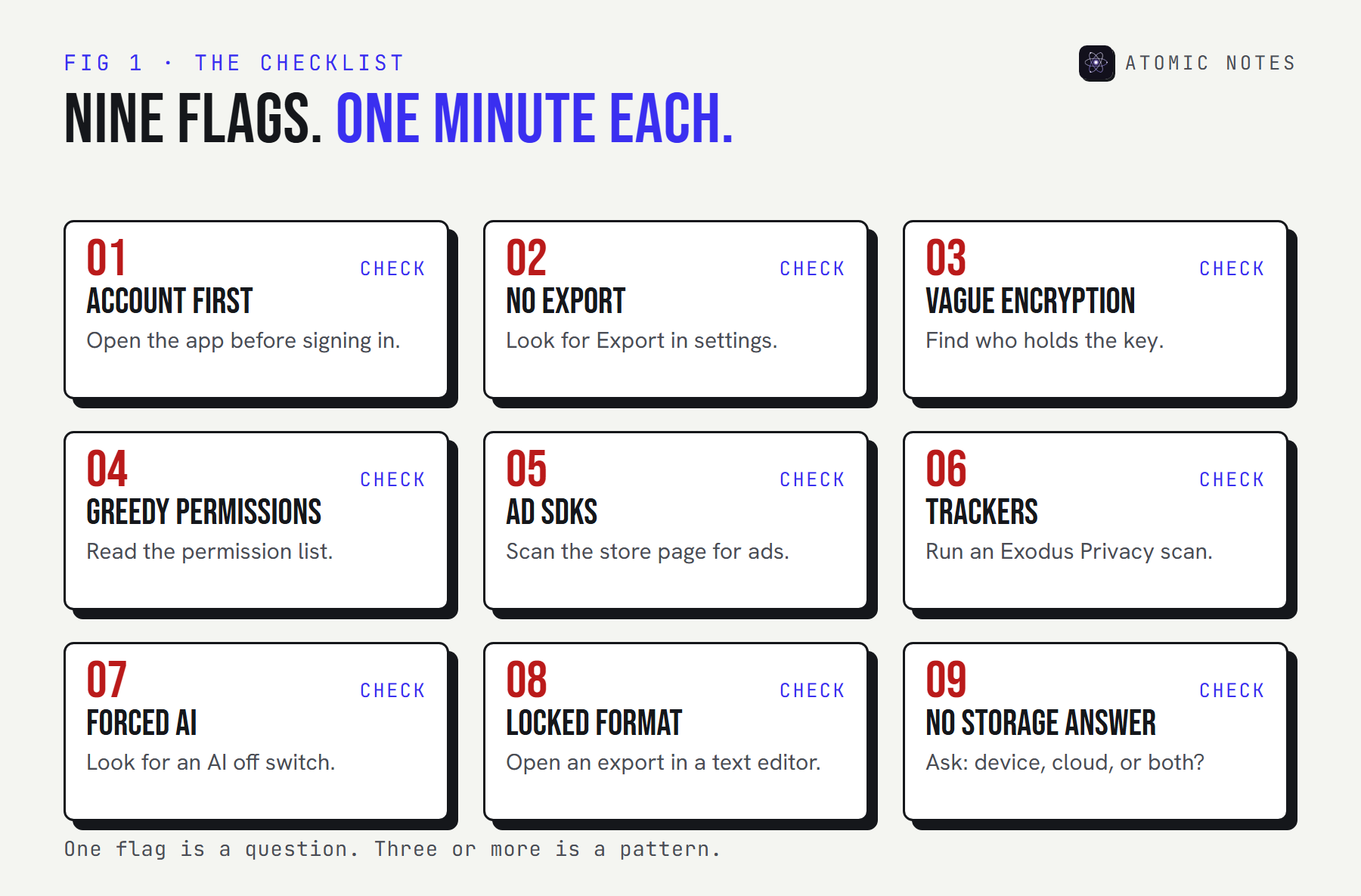
The nine red flags turn those questions into things you can check today.
The 9 notes app privacy red flags
1. You can't write a note without an account
An account ties every note to your identity and to someone else's servers. If the account gets locked, your notes can lock with it.
Check: install the app and try to write a note before signing up. Better: the app lets you write first, and the account only switches on sync.
2. There's no way out
If you can't export, you don't own your notes. You rent them. Good data export options cover every note, include attachments, and use open formats.
Check: look for Export in settings, then open the file you get. Better: one-tap export to Markdown, plain text, or JSON, or notes stored as readable files you can copy anytime.
3. "Encrypted" with no word on the key
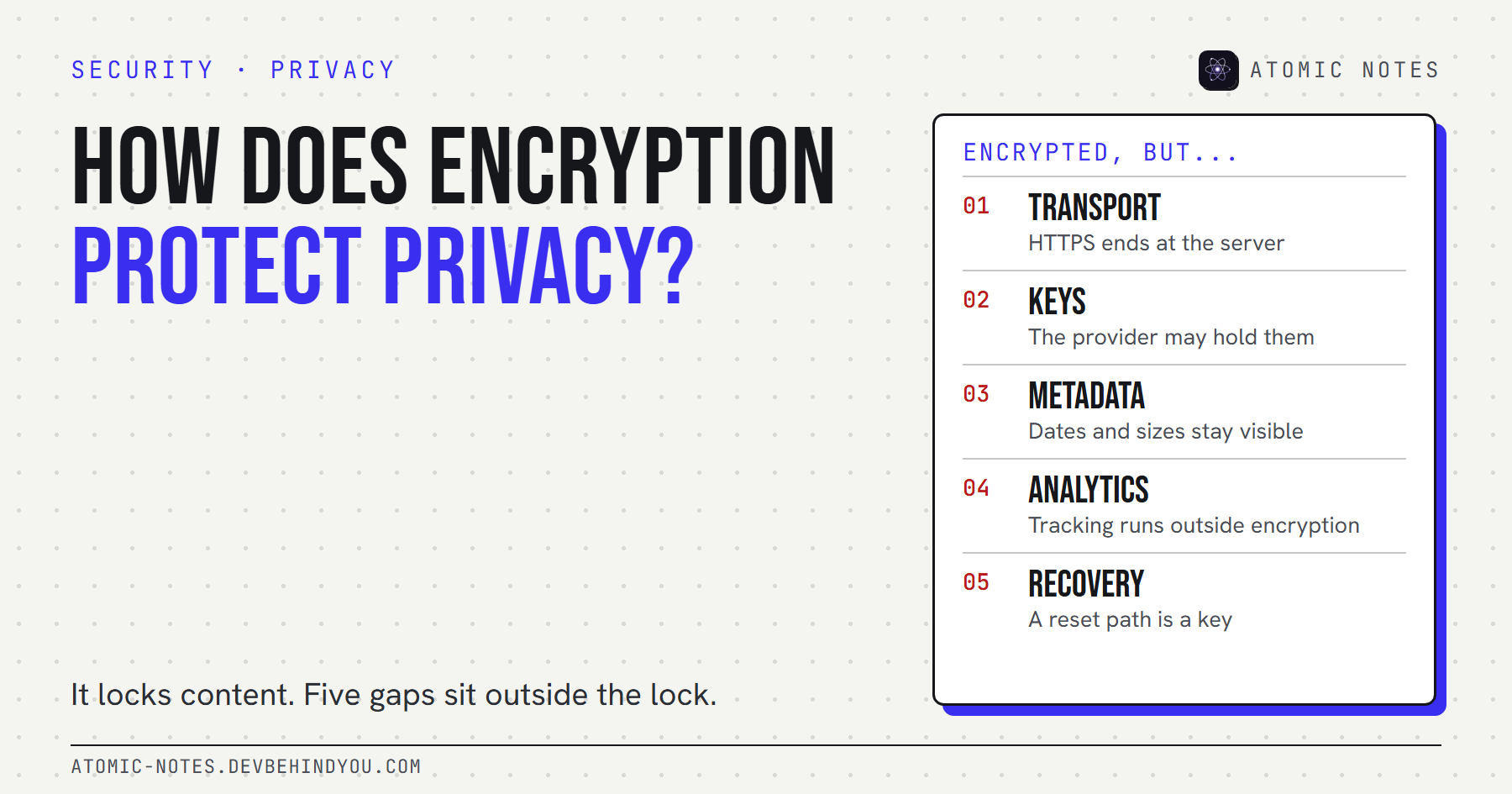
"Your data is encrypted in transit and at rest" sounds reassuring. It usually means HTTPS on the wire and encrypted disks on the server, while the company keeps the keys. Good notes app encryption says plainly whether it's end-to-end, and who can decrypt. If those terms are new, start with encrypted notes explained.
Check: find the security page and look for the words "end-to-end" and "only you hold the key." Better: a one-page explanation in plain English, including what happens if you lose your key. This one flag tells you more about notes app privacy than any marketing page.
4. Permissions that have nothing to do with notes
Permissions are the fastest notes app privacy check you can run, because they show what an app can reach. A notes app asking for contacts, precise location, or call logs is collecting more than notes.
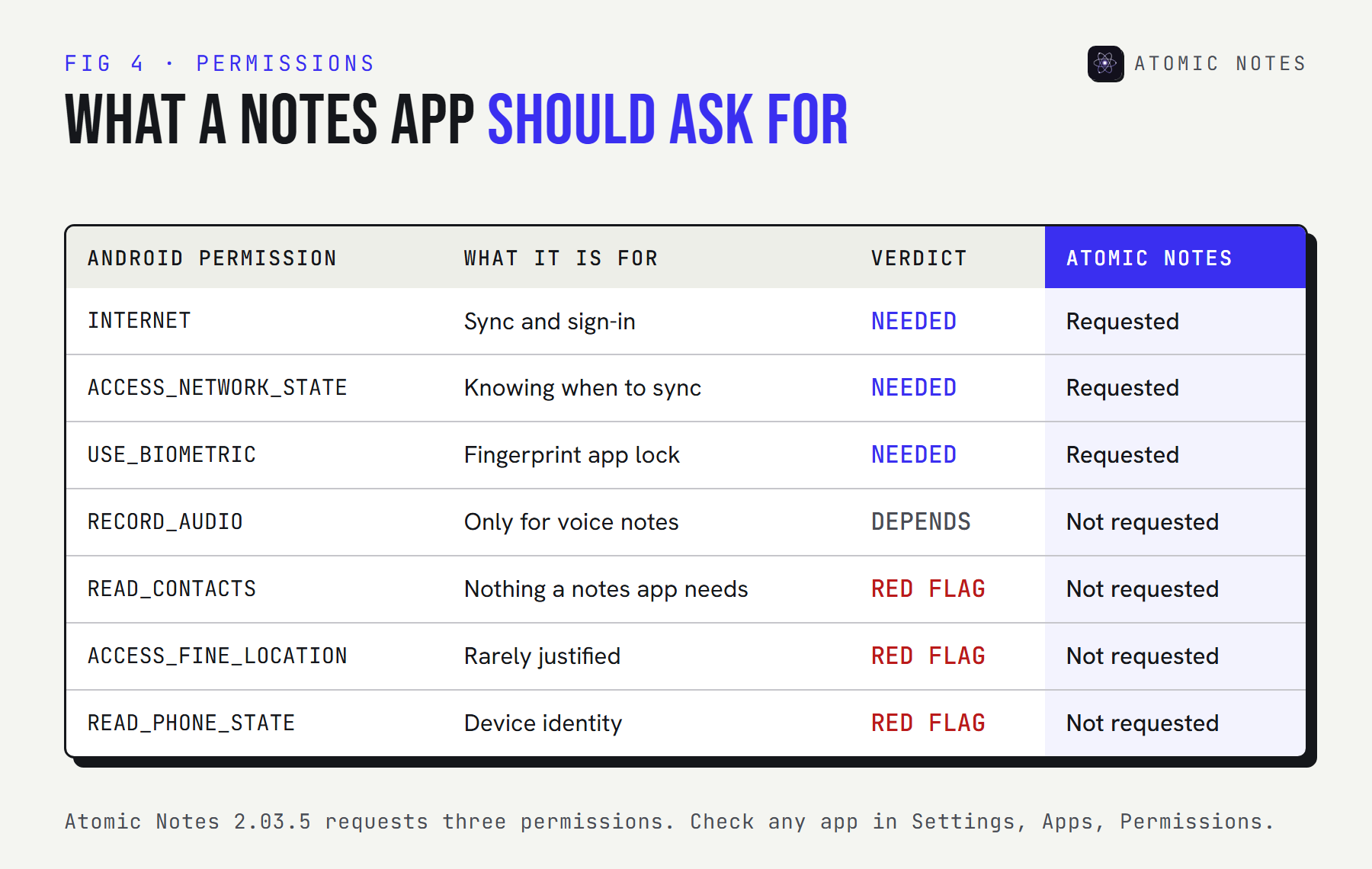
Check: on Android, open Settings, then Apps, then the app, then Permissions. If you're comfortable with developer tools, you can list everything an app requested, not just what it was granted:
Terminal · Android platform tools
# Every permission an installed app requested (USB debugging on)
adb shell dumpsys package com.notes.atomic | grep "permission"

# Or inspect an APK file before you install it
aapt2 dump permissions atomic-notes.apk
Swap in any app's package name, which appears in its Play Store URL after id=. Better: a short list, each with a reason you can guess.
5. Ads, or advertising SDKs
Every ad slot runs on a profile of the person looking at it. The FTC's 2023 case against GoodRx shows how this goes wrong: the company shared people's health information with ad platforms through tracking code. Nobody broke in. The tracking did the damage.
Check: look for ads in the app and a "Contains ads" label on its store page. Better: an app funded by its users, with no ad slots to fill.
6. Third party trackers and analytics
Third party trackers send your behavior to companies you've never heard of: which screens you open, when you write, how long you stay. Even with encrypted notes, that pattern reveals your routine, which is why trackers matter so much for notes app privacy. The notes app metadata guide shows how much a week of timestamps gives away.
Check: search the app on Exodus Privacy, a free service that lists the trackers and permissions inside Android apps. Better: zero trackers and a privacy policy that says so in one line.
7. AI that reads everything, with no off switch
AI features send note content to a model, often run by another company. If you can't turn them off, the app has decided who reads your notes for you. That's a notes app privacy decision made without you.
Check: find the AI settings, the named AI provider, and whether your text trains anything. Better: AI that's off by default and clearly scoped, or no AI at all.
8. Exports in a format nothing else opens
An export button doesn't help if the file only works in the app you're leaving. A proprietary format is a soft lock-in.
Check: open an export in a plain text editor. Better: Markdown, plain text, or JSON, one note per file.
9. No straight answer to "where are my notes?"
Your notes live somewhere specific: your device, the company's cloud, or storage you own, in a particular country, under a particular key. A good app says which in one sentence.
Check: search the privacy policy for "store," "server," and "location," and find out whether account deletion also deletes your notes and backups. Better: an app that names every place a copy exists, including cloud sync and backups. A local first notes app makes this easy, because the answer starts with "on your phone."
Check your own notes app
Open your current app's store page, settings, and privacy policy side by side. Tick every flag it raises.
CHECK YOUR APP · 9 FLAGS
Tick every flag your notes app raises.
Have the app's store page, settings, and privacy policy open. Each flag takes about a minute to check.
0 / 9 No red flags ticked. Still read the policy before you move private notes in.
Your score is a fast read on your notes app privacy today. One flag is a question worth asking the developer. Three or more is a pattern, and it's a sign your most private writing belongs somewhere else.
How to verify notes app privacy instead of trusting it
Treat every privacy claim as one of three kinds of evidence: a label, a policy, or something you can check yourself. They are not equally strong.
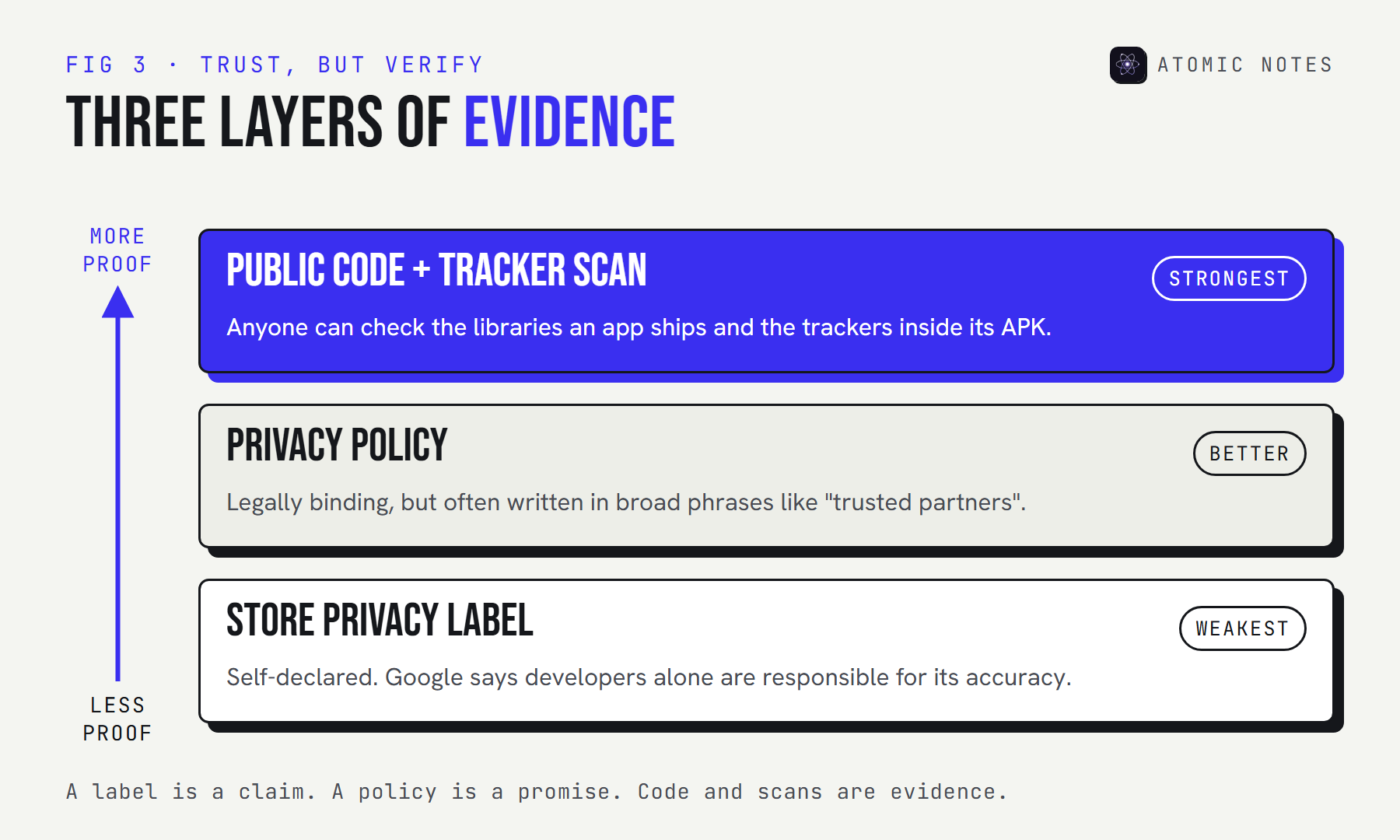
Store privacy labels are the quickest read on notes app privacy and the weakest proof. Google Play's data safety section is filled in by the developer, and Google's own help page says developers alone are responsible for making it complete and accurate. Treat it as a claim, not a verdict.
The privacy policy is legally binding, which makes it stronger. It's also where vague wording hides. Phrases like "trusted partners" and "improve our services" can allow far more than they seem to. Try the decoder below on phrases you've seen.
TRY IT · PRIVACY POLICY DECODER
What the policy says. What it can mean.
Pick a phrase you've seen in a notes app's privacy policy.
IT CAN MEAN
Data can leave the company. "Partners" can include analytics, advertising, cloud, and AI vendors.
ASK THE APP
Which partners, which data, and can I opt out?
A general guide, not legal advice. The full policy decides what a phrase allows.
Code and scans are the strongest proof, because you don't have to take anyone's word. A tracker scan shows what an app actually ships. Source code transparency goes further: when an app's code is public, anyone can check the libraries it uses and the network calls it makes. Atomic Notes is source-available for exactly this reason. You can read the code, but the license doesn't allow reuse, so I won't call it open source.
How does Atomic Notes score?
I'd be a hypocrite to publish this list and skip my own app. Here's Atomic Notes 2.03.5, checked against all nine notes app privacy flags:
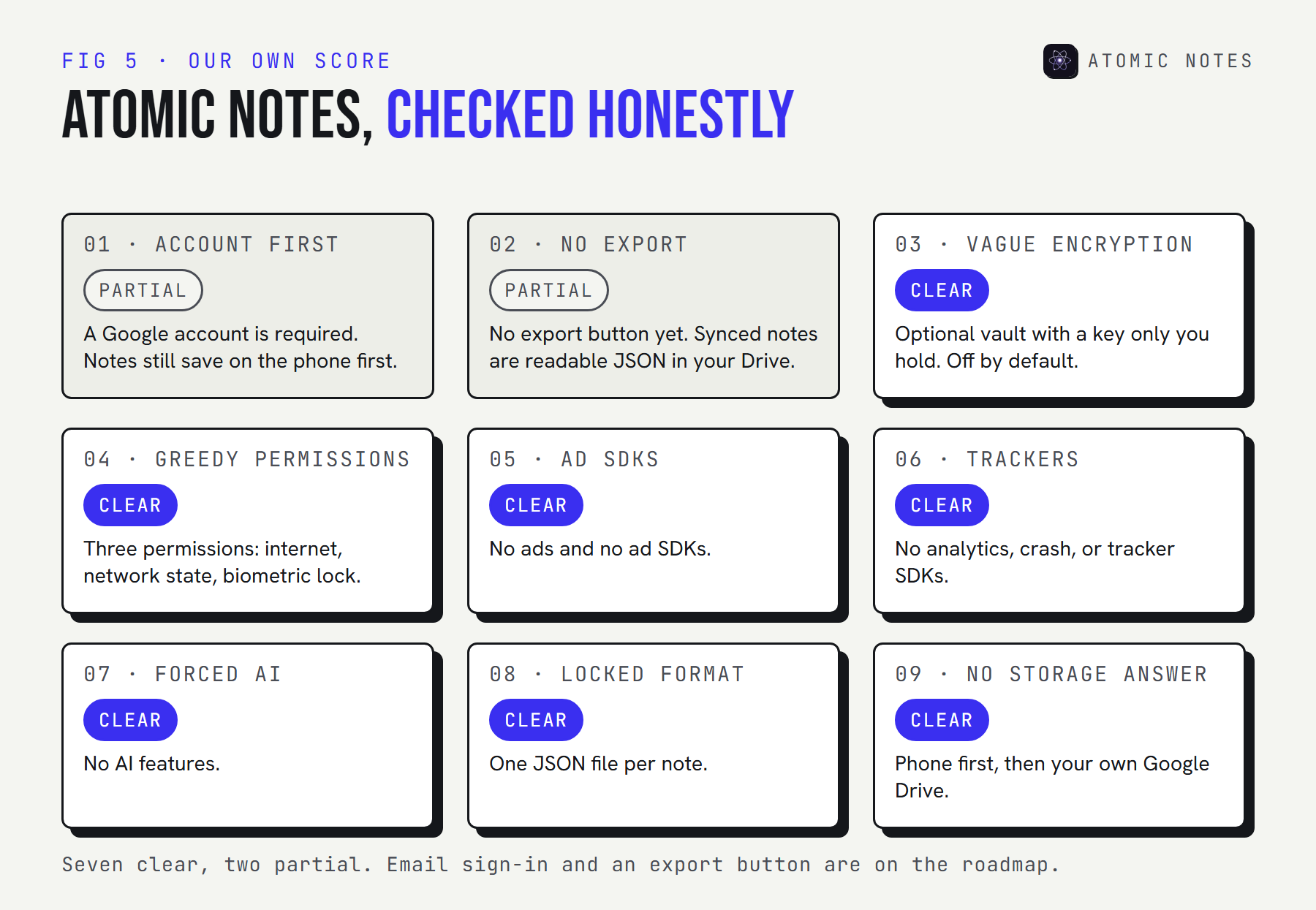
| Flag | Result | Detail |
|---|---|---|
| 1. Account first | Partial | A Google account is required to sign in. Notes still save on the phone first and work offline. |
| 2. No export | Partial | No export button yet. Synced notes are readable JSON files in your own Google Drive. |
| 3. Vague encryption | Clear | An optional vault with a key only you hold. It's off by default, and the app says so. |
| 4. Greedy permissions | Clear | Three permissions: internet, network state, and biometric lock. |
| 5. Ad SDKs | Clear | No ads and no advertising SDKs. |
| 6. Trackers | Clear | No analytics, crash-reporting, or tracker SDKs. |
| 7. Forced AI | Clear | No AI features at all. |
| 8. Locked format | Clear | One JSON file per note. Vault notes are ciphertext by design. |
| 9. No storage answer | Clear | Your phone first, then a folder in your own Google Drive. The server keeps metadata only. |
Two flags are partial, and I won't pretend otherwise. Email sign-in and a full export feature are both on the roadmap. Until then, your Drive copy is the way out.
Why do so many notes apps raise these flags?
Look at who pays. Advertising runs on tracking. Growth teams live on analytics dashboards. AI features run on your text. Each of those is a business decision before it's a notes app privacy one.
That's why the third question, who pays, matters as much as encryption. A privacy focused notes app has to earn money without touching your data. Otherwise the flags return with the next funding round. Atomic Notes has no ads, no data deals, and no AI. Writing notes is free, and the people who use it fund the cloud sync that costs real money to run.
FAQ
Is my notes app private?
Check three things: where notes are stored, who holds the encryption key, and how the app makes money. If the company holds the key, can't name where your notes live, or earns from ads, your notes app privacy depends on its goodwill, not on its design.
What is the biggest notes app privacy red flag?
Vague encryption. "Encrypted" on its own can mean the company holds the keys and can read everything you write. Look for a plain statement that encryption is end-to-end, that only you hold the key, and what recovery looks like if that key is lost.
How can I check if a notes app has trackers?
Paste the app's name into Exodus Privacy, which reports the trackers and permissions found inside Android apps. Then search its privacy policy for the words analytics, advertising, and third parties. A privacy focused notes app comes back clean on both checks.
Is a secure notes app the same as a private one?
Not quite. Security keeps attackers out of your notes. Privacy is about what the company itself gathers, shares, and does with your data. A good app needs both: strong encryption, as little collection as possible, no trackers, and a way of making money that doesn't run on your notes.
Can a notes app with cloud sync still be private?
Yes. Privacy depends on what the server can see and who holds the key. Cloud sync can be private with end-to-end encryption, or when notes go to storage you own, like your own Google Drive. Atomic Notes does both, with the vault turned on.
Keep reading
- 7 best private notes apps for Android in 2026
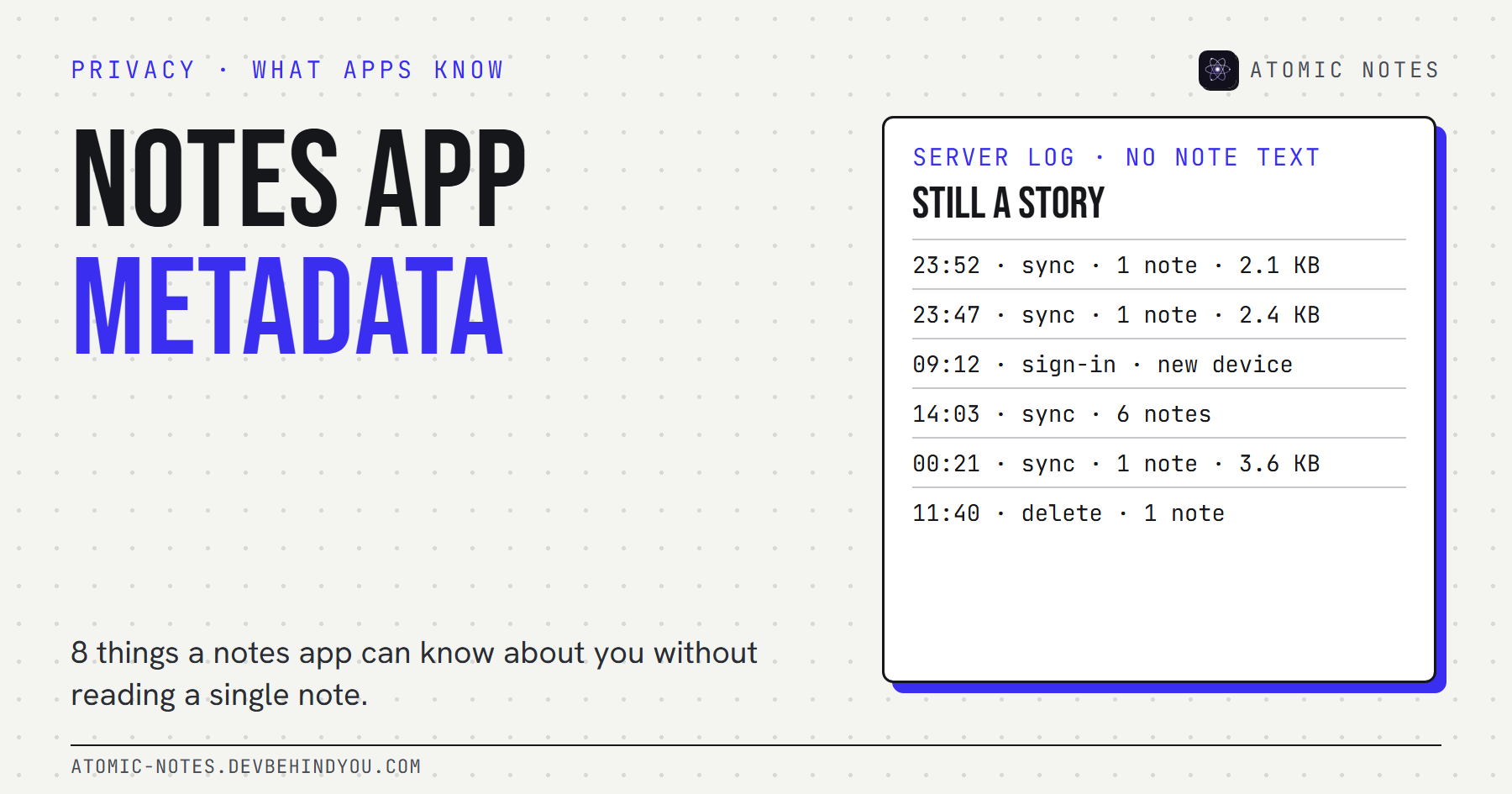
- Notes app metadata: 8 things it knows without reading notes
- What is a local first notes app, and why does it matter?
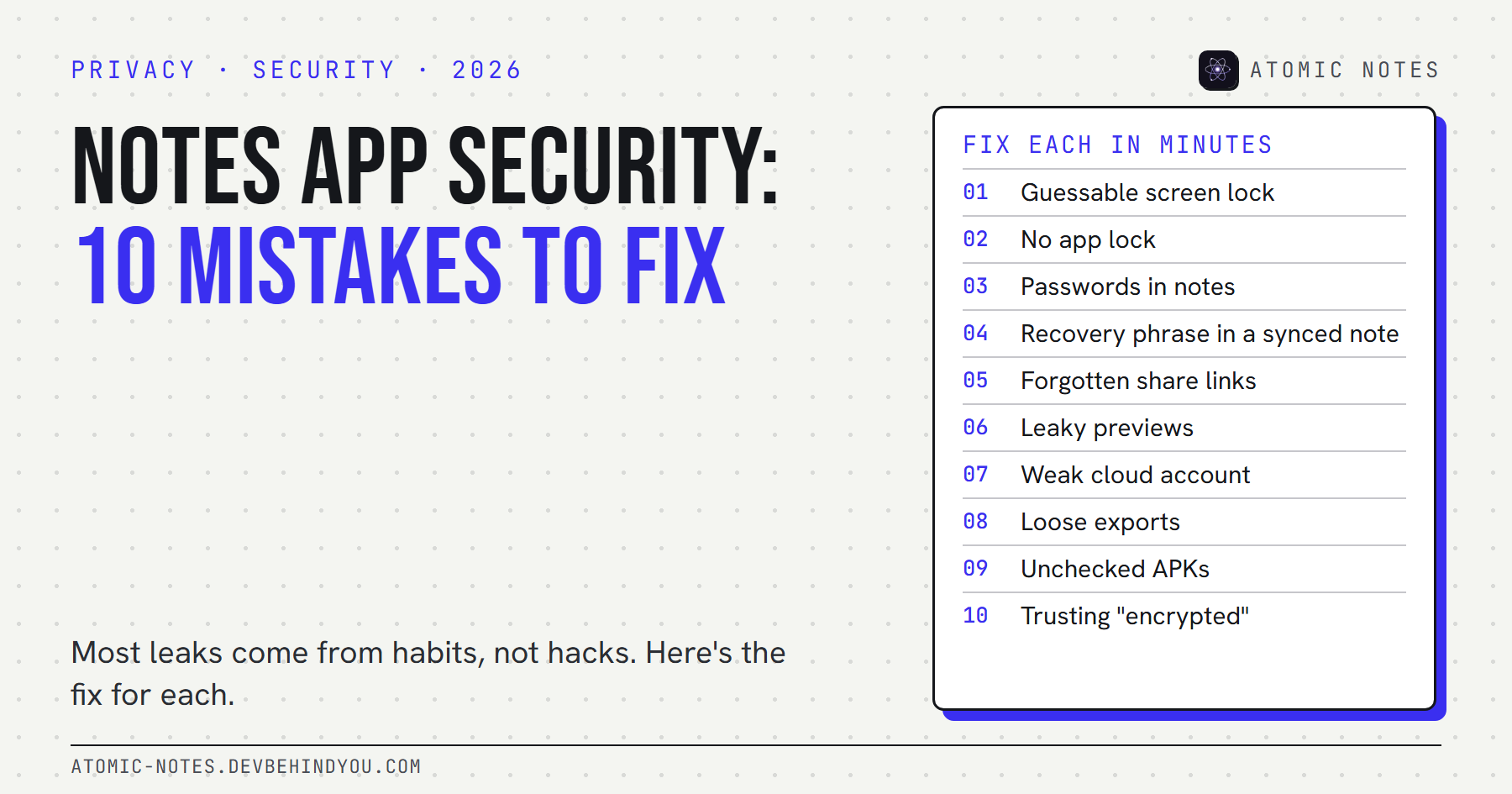
- Notes app security: 10 privacy mistakes to fix
- 7 best note taking apps without AI
- Read the Atomic Notes code on GitHub and check every claim on this page
Atomic Notes by DevBehindYou
Atomic Notes keeps every note on your phone, copies it to a folder in your Google Drive, and never shows ads, runs trackers, or sends your text to an AI model. Turn on the vault and even those copies are encrypted. Take the tour.
Sources
- Evernote's new privacy policy allows employees to read your notes. TechCrunch, December 14, 2016
- Evernote reverses its privacy policy change. TechCrunch, December 16, 2016
- FTC enforcement action to bar GoodRx from sharing consumers' sensitive health info for advertising. FTC, February 2023
- Provide information for Google Play's data safety section. Play Console Help
- Permissions on Android. Android Developers
- What Exodus Privacy does. Exodus Privacy
- Atomic Notes privacy policy