 ATOMIC NOTES
Quick answer
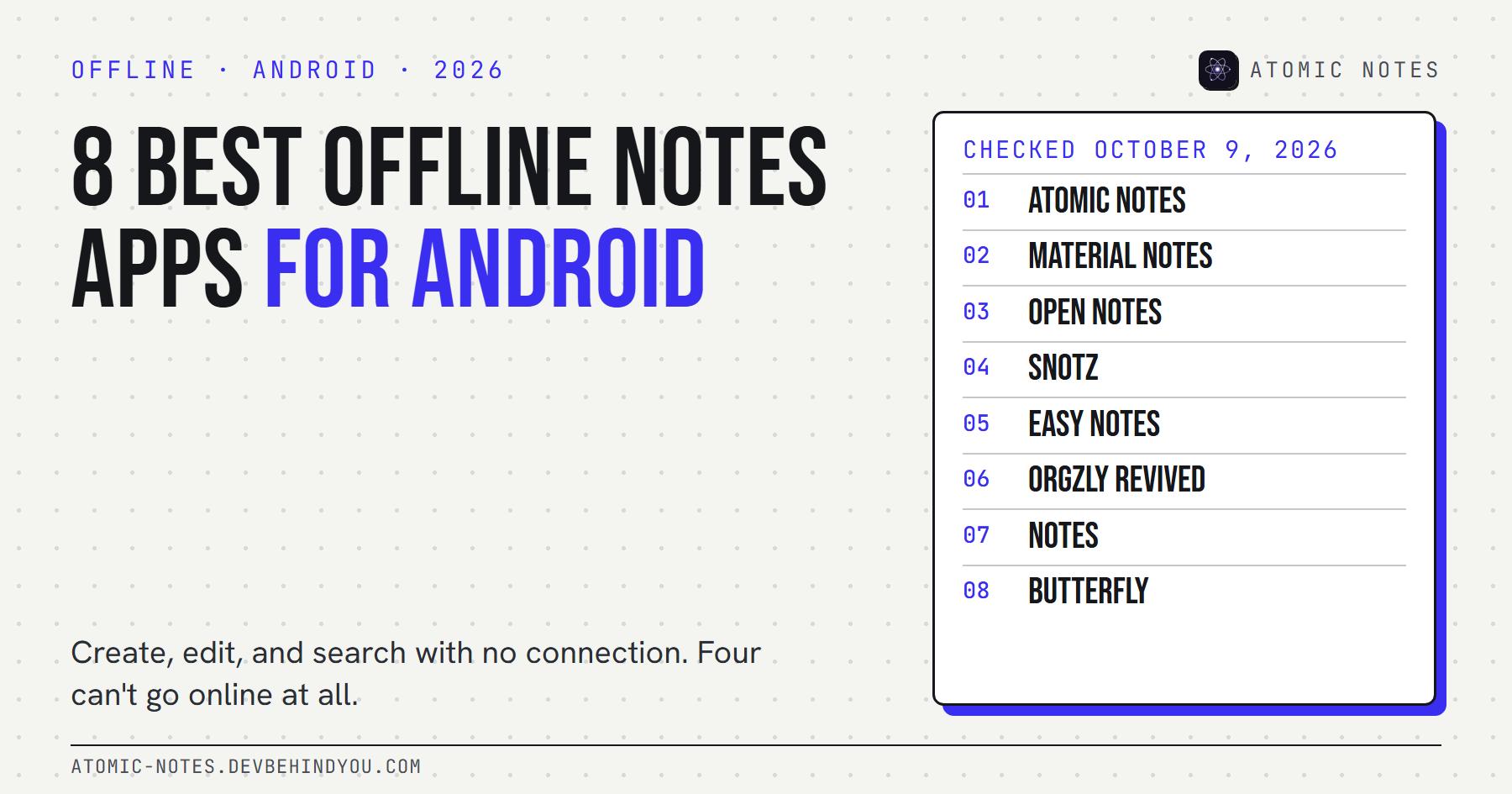
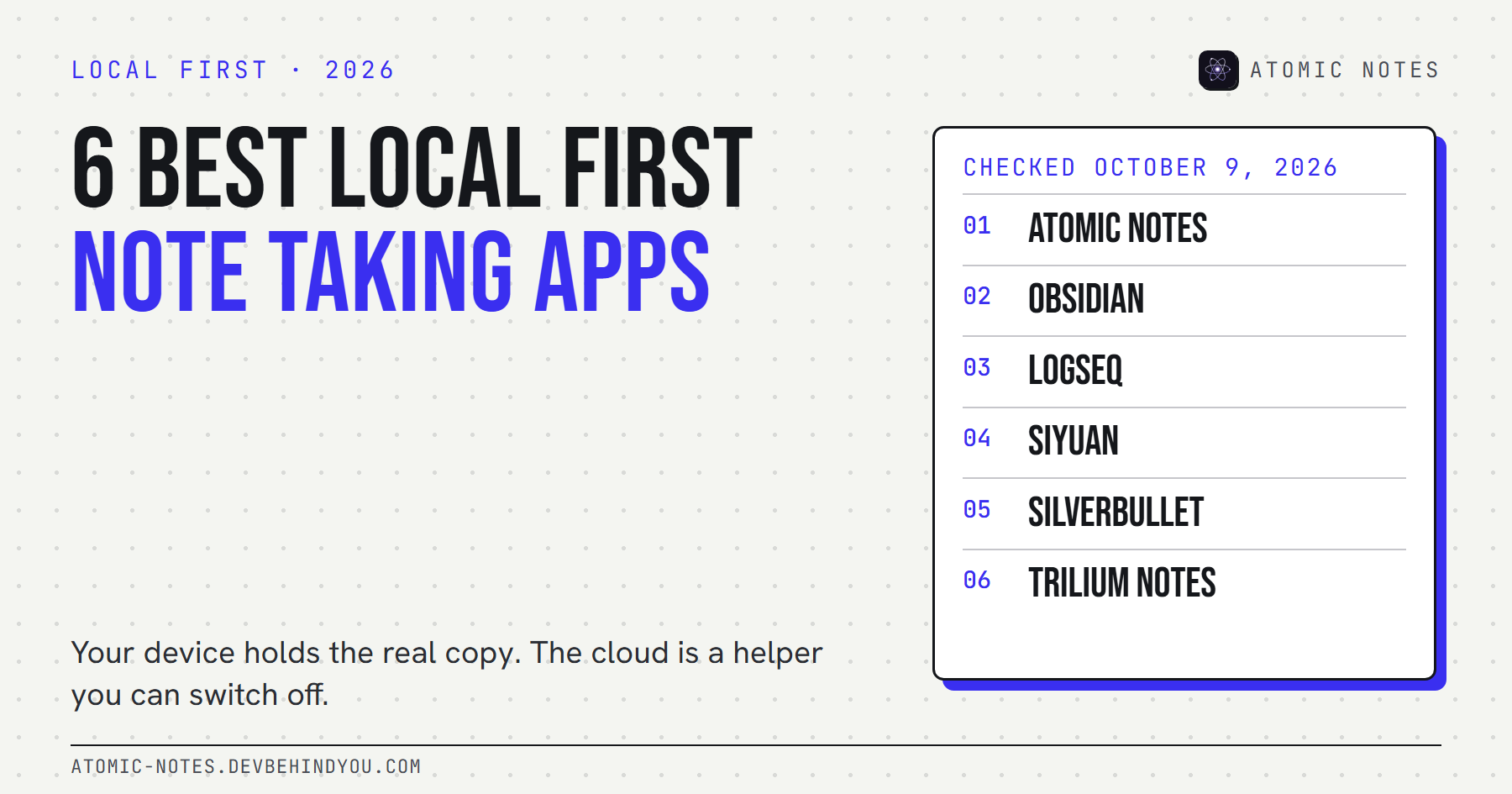
The best local first note taking apps keep the real copy of your notes on your own device and treat sync as optional. Atomic Notes does it on Android with your own Google Drive. Obsidian, Logseq, SiYuan, SilverBullet, and Trilium Notes do it on the desktop, and each one handles sync its own way.
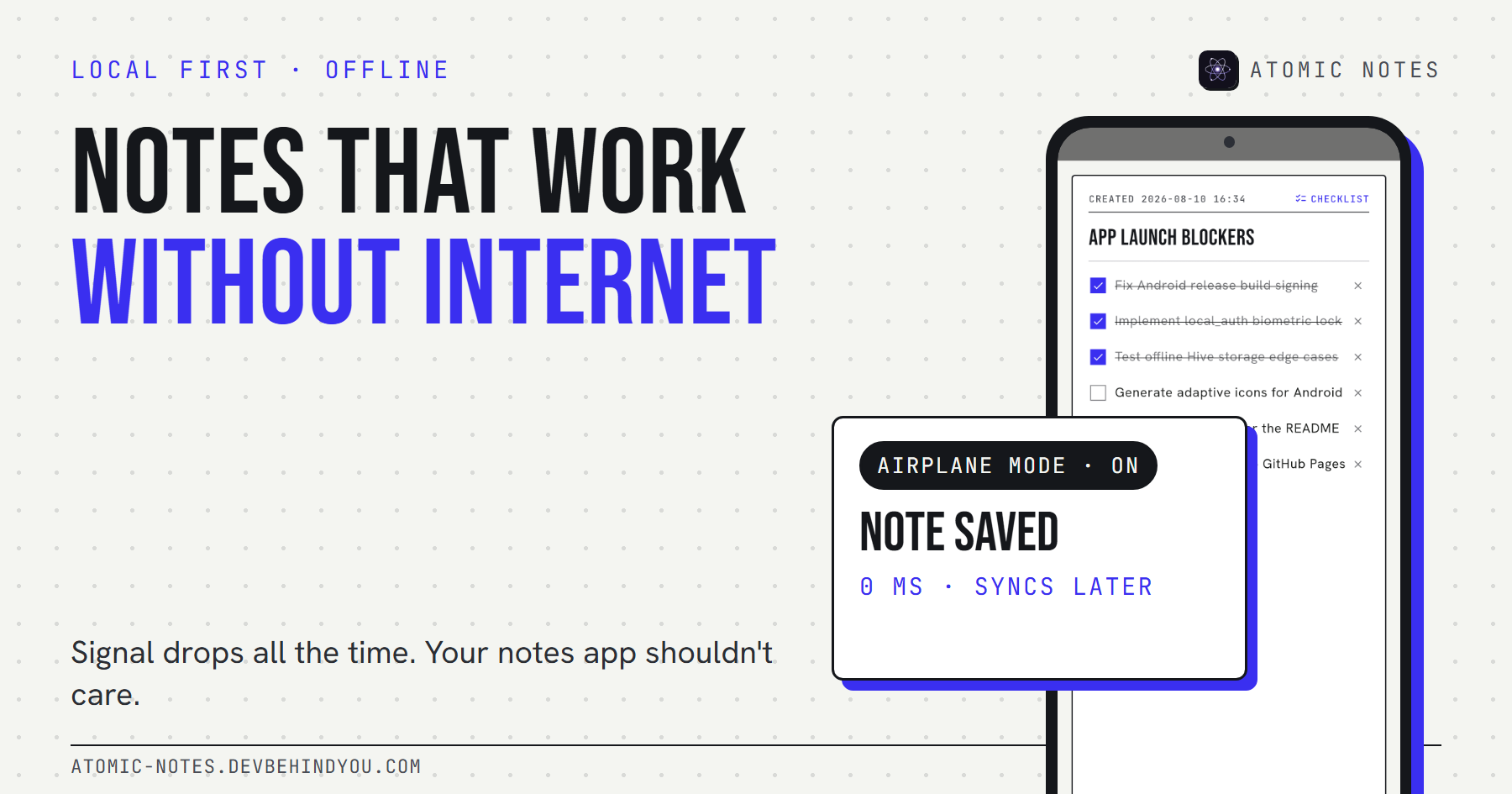
Almost every notes app says it works offline. Open one in a basement café and you'll see what that means. Some open instantly. Others show a spinner, then a stale list, then an error.
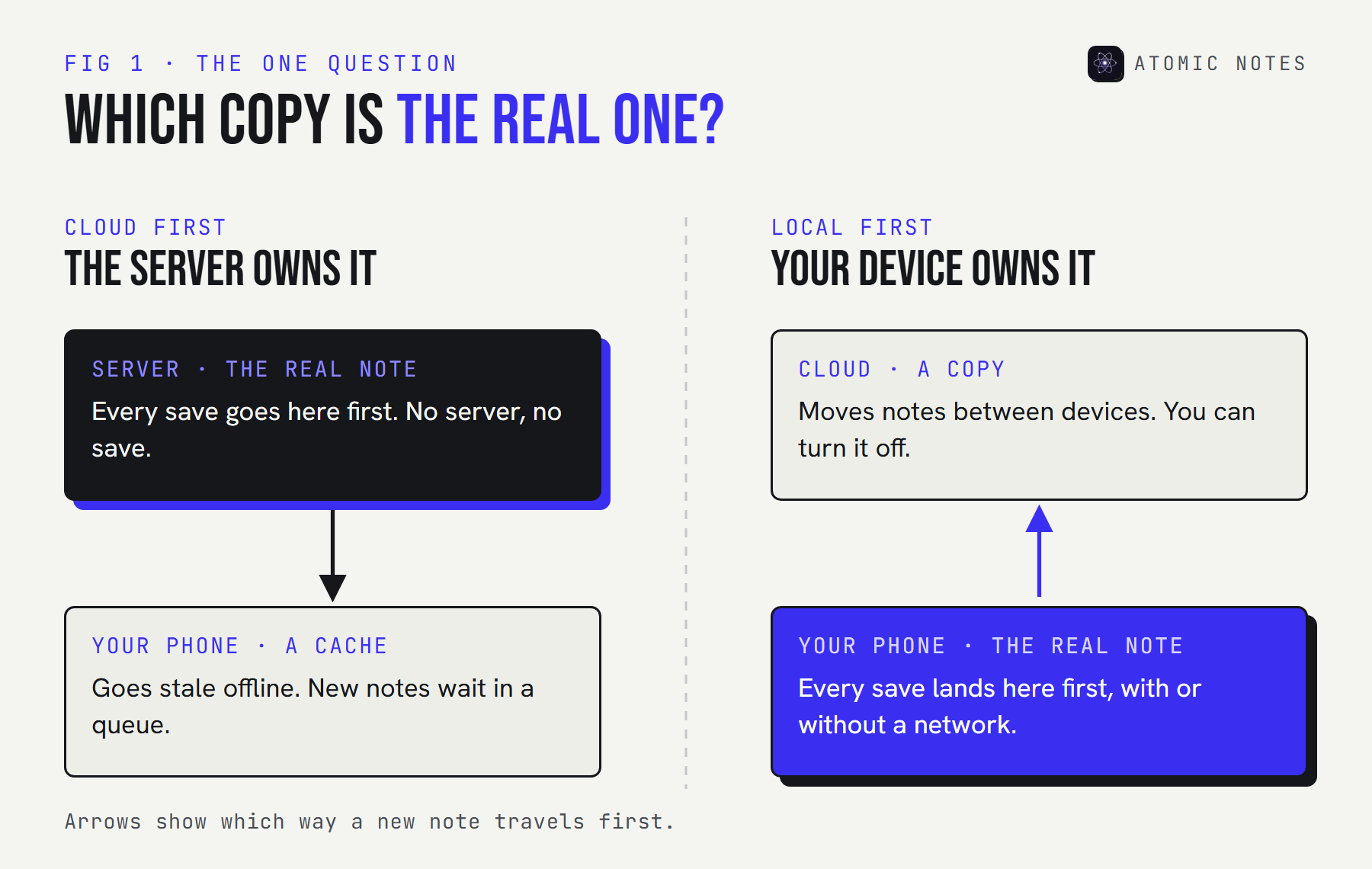
The difference is which copy is the real one. Local first note taking apps keep the primary copy on your device, and the cloud only moves notes between devices. Cloud apps do the opposite: the server holds the truth, and your phone keeps a cache.
I sorted this list by that one question, then checked every app's repository, docs, or changelog on October 9, 2026. Full disclosure: I build Atomic Notes. It sits at number one, with its weak spots spelled out in the same detail as the rest.
What makes local first note taking different?
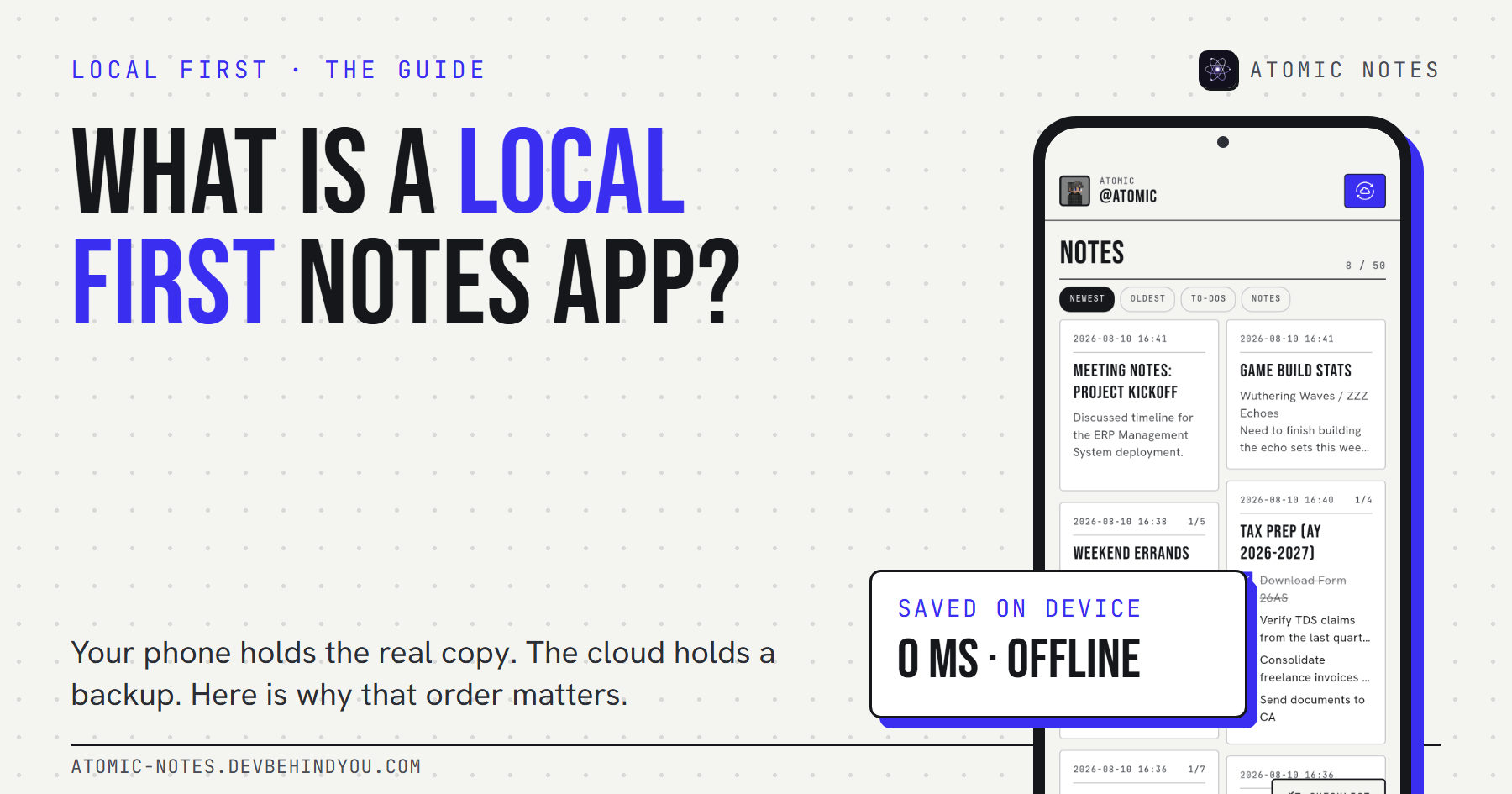
Local first note taking means the device you're holding is the source of truth. Sync, backup, and sharing are layers on top. If the company's server goes dark, your notes don't.
Here are the four tests I used. An app had to pass all of them:
- It opens and saves with no network. Not "read only" offline. Full create, edit, and search.
- Changes land on the device first. The save finishes before any sync starts.
- Sync is optional, and you pick where it goes. Some apps let you skip sync entirely.
- Your notes outlive the company. You can still open them if the service shuts down.
An offline cache passes the first test on a good day. The six local first note taking apps below pass all four. If you want the longer theory behind this, my guide to what a local first notes app is walks through the seven ideals from Ink & Switch.
How do the 6 apps compare?
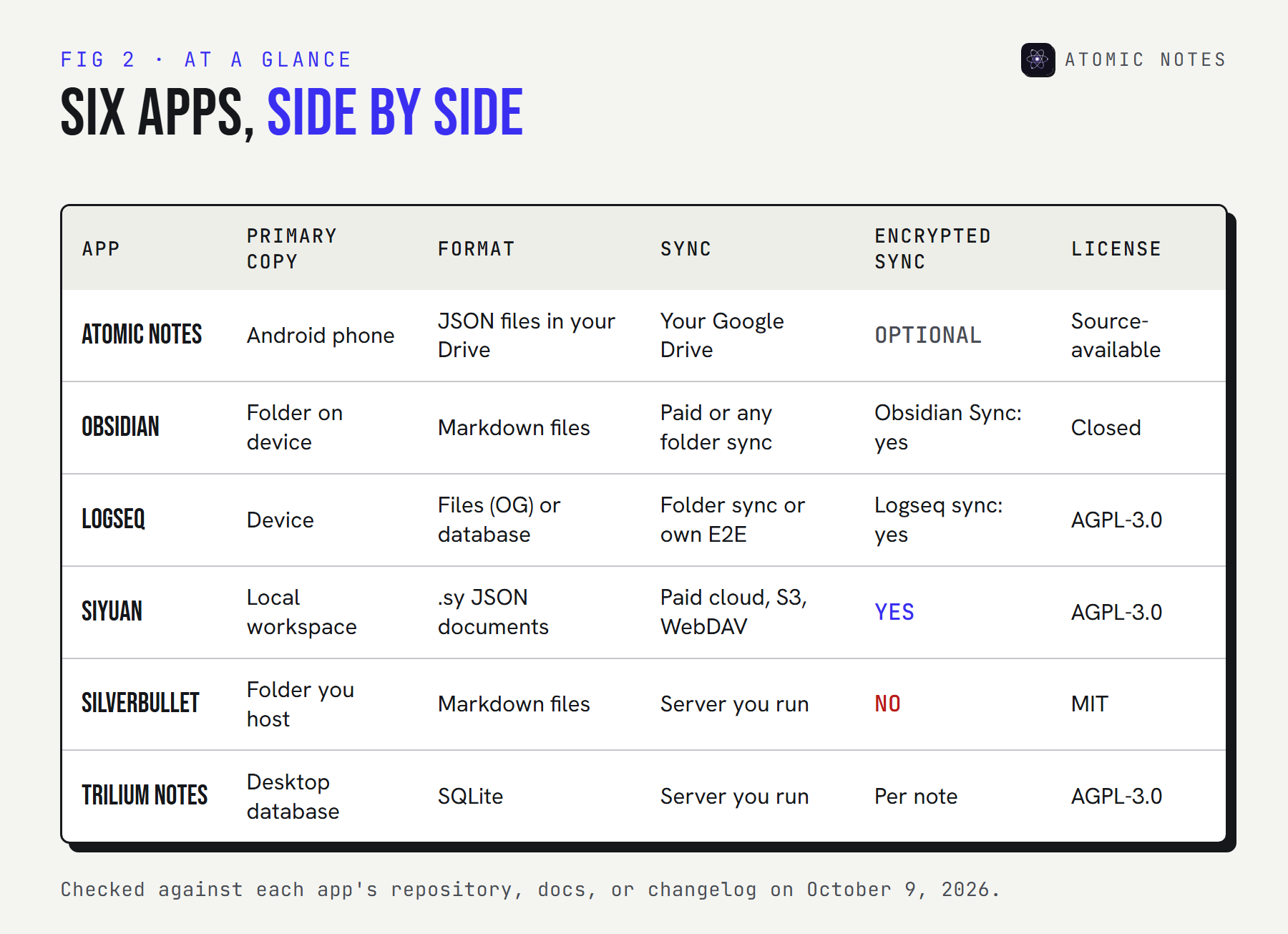
They split into two camps: apps that store plain files you can open anywhere, and apps that store a local database. Both are local first. Files are easier to move. Databases make richer features easier to build.
Not sure where to start? Answer three questions and the matcher ranks the list for you:
MATCH ME · 3 QUESTIONS, 6 APPS
Which local first app fits how you work?
Pick one answer per row. The list re-ranks as you go.
Where do you write most?
Who should run the sync?
How should notes be stored?
- Answer a question to rank the six apps.
Fit scores are my judgment from each app's docs, checked October 9, 2026. Device fit counts double.
The 6 best local first note taking apps
For each of these local first note taking apps you'll see where the primary copy lives, the storage format, sync choices, encryption, any AI features, and its biggest catch.
1. Atomic Notes
Pick it for: local first notes on an Android phone, with sync into a Google Drive you already own.
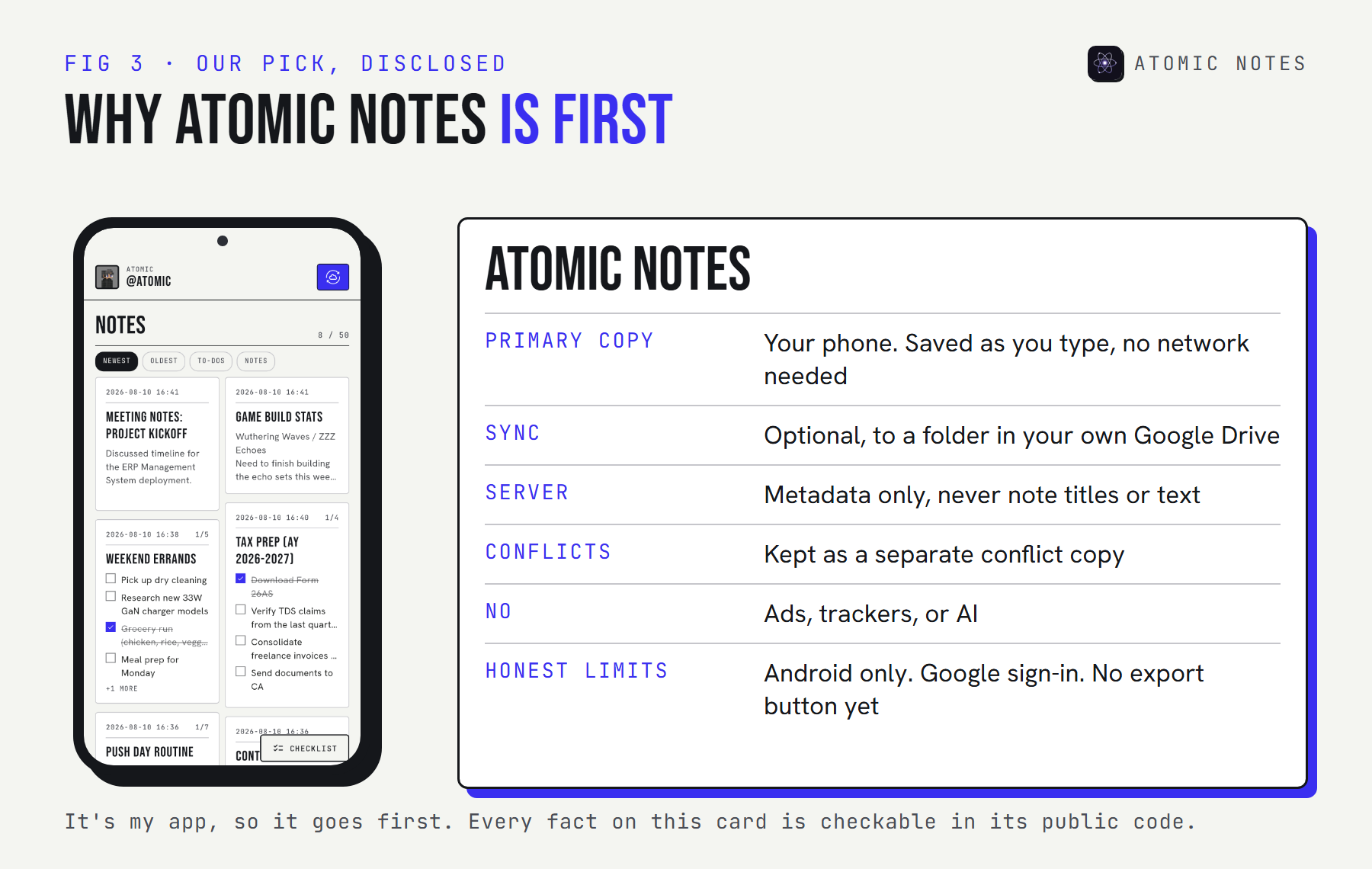
- Primary copy: the phone. Every note saves to on-device storage as you type.
- Format: one
.atomicJSON file per note in aMy-Atomic-Notesfolder in your Drive - Sync: optional, to your own Google Drive, with a small server that keeps only metadata
- Encryption: an optional end-to-end vault (Argon2id key, AES-256-GCM). It starts switched off.
- AI: none. No ads, analytics, or trackers either.
- Code: source-available on GitHub, so you can read every line but not reuse it
- Current version: 2.03.5, out since September 28, 2026
- Watch for: it runs on Android only, needs a Google account, has no export button yet, and the free plan holds 30 notes
I built the sync around one rule: the phone never waits for the server. A note is saved before any upload starts, and an edit that collides with another device becomes a "(conflict copy)" instead of a silent overwrite. Here's what one note looks like in your Drive, so you can see there's no secret format:
One note file in My-Atomic-Notes · example values
{
  "version": 1,
  "id": "0b6c1f7e-4a1d-4c8e-9d3a-2f5e8b7c6a10",
  "kind": "todo",
  "title": "Trip checklist",
  "body": "",
  "items": [{ "text": "Passport", "done": true }, { "text": "Charger", "done": false }],
  "pinned": false,
  "encV": 0,
  "payload": null,
  "createdAt": "2026-10-09T06:12:44.000Z",
  "updatedAt": "2026-10-09T06:15:02.000Z"
}
With the vault on, encV becomes 1, the title, body, and items are emptied, and payload carries the ciphertext. The four-layer architecture guide shows the full path.
2. Obsidian
Pick it for: a polished Markdown workspace on every platform, with a huge plugin library.
- Primary copy: a vault, which is an ordinary folder of Markdown files on your device
- Format: plain text Markdown, plus
.canvasand.basefiles for its visual features - Sync: optional paid Obsidian Sync, or any folder sync tool you already use
- Encryption: Obsidian Sync is end-to-end encrypted by default (AES-256-GCM, scrypt key). Local vaults aren't encrypted.
- AI: none built in, though community plugins add it
- Source: closed source
- Latest: version 1.14.4, October 5, 2026
- Trade-off: the app is closed source, and the official sync is a paid add-on
Obsidian is the reason "apps like Obsidian" became a search phrase, and it's the yardstick most local first note taking apps get measured against. Its vault is just a folder, so your notes are readable by any text editor today and in twenty years. That's the strongest data ownership story on this list.
3. Logseq
Pick it for: outlining and daily journals, where every line is a block you can link.
- Primary copy: your device, either as Markdown files (Logseq OG) or a local database (the new Logseq)
- Format: Markdown or Org files in Logseq OG, a database graph in Logseq 2.0
- Sync: your own folder sync for file graphs, or Logseq's end-to-end encrypted sync for database graphs
- Encryption: none for local files, end-to-end for its own sync
- AI: none built in
- Source: open source under AGPL-3.0
- Latest: 2.0.2 Beta, October 7, 2026
- Trade-off: the project is mid-split. The database version is still in beta, and the file version gets maintenance only.
In April 2026 the Logseq team split the app in two. Logseq OG keeps the Markdown files and gets security fixes. The new Logseq stores a database graph and gets the new features. If you want plain text that will never change under you, stay on OG for now and back up before you test the beta.
4. SiYuan
Pick it for: a block-based knowledge base you can self-host, including on HarmonyOS.
- Primary copy: a local workspace on your device
- Format: its own structured JSON documents, with Markdown export
- Sync: the paid official cloud, or your own S3 or WebDAV storage with a one-time PRO license
- Encryption: end-to-end encryption on every sync option
- AI: optional writing help and Q&A through the OpenAI API, once you add your own key
- Source: open source under AGPL-3.0
- Latest: version 3.8.6, September 29, 2026
- Trade-off: every sync option costs money, and folder-sync tools can corrupt its data
SiYuan runs on Windows, macOS, Linux, Android, iOS, and HarmonyOS, and a Docker image serves it from your own server. Its block references are the most capable among these local first note taking apps, and its sync stays encrypted even on storage you rent.
5. SilverBullet
Pick it for: a Markdown wiki you can program with Lua.
- Primary copy: Markdown pages in an ordinary folder, called a space
- Format: plain Markdown files
- Sync: a self-hosted server, with a browser client that keeps working offline, or the desktop app
- Encryption: none built in
- AI: none built in
- Source: open source under MIT
- Latest: version 2.12.0, October 6, 2026
- Trade-off: you get the most from it once you learn Space Lua, its scripting language
SilverBullet is the tinkerer's pick. Queries, templates, and custom commands all live in your notes as code. And because pages are Markdown in a folder, leaving it costs you nothing.
6. Trilium Notes
Pick it for: a deep, tree-shaped knowledge base with thousands of notes.
- Primary copy: a local SQLite database in the desktop app
- Format: a database, with Markdown and HTML export
- Sync: optional, to your own self-hosted Trilium server
- Encryption: "protected notes", encrypted one note at a time
- AI: an optional assistant that is off by default and works with the provider you pick, including local models
- Source: open source under AGPL-3.0
- Latest: version 0.106.0, September 25, 2026
- Trade-off: on phones you use the server's mobile web interface, and there's no official app
Trilium shines when your notes form a hierarchy: research, a homelab wiki, a novel's world. The project spells out exactly what its AI integration sends, and nothing happens until you switch it on.
What happens to your notes if the company disappears?
With local first note taking apps, you keep working. The test is simple: imagine the company behind your app shuts down tomorrow, and check what's still on your disk.
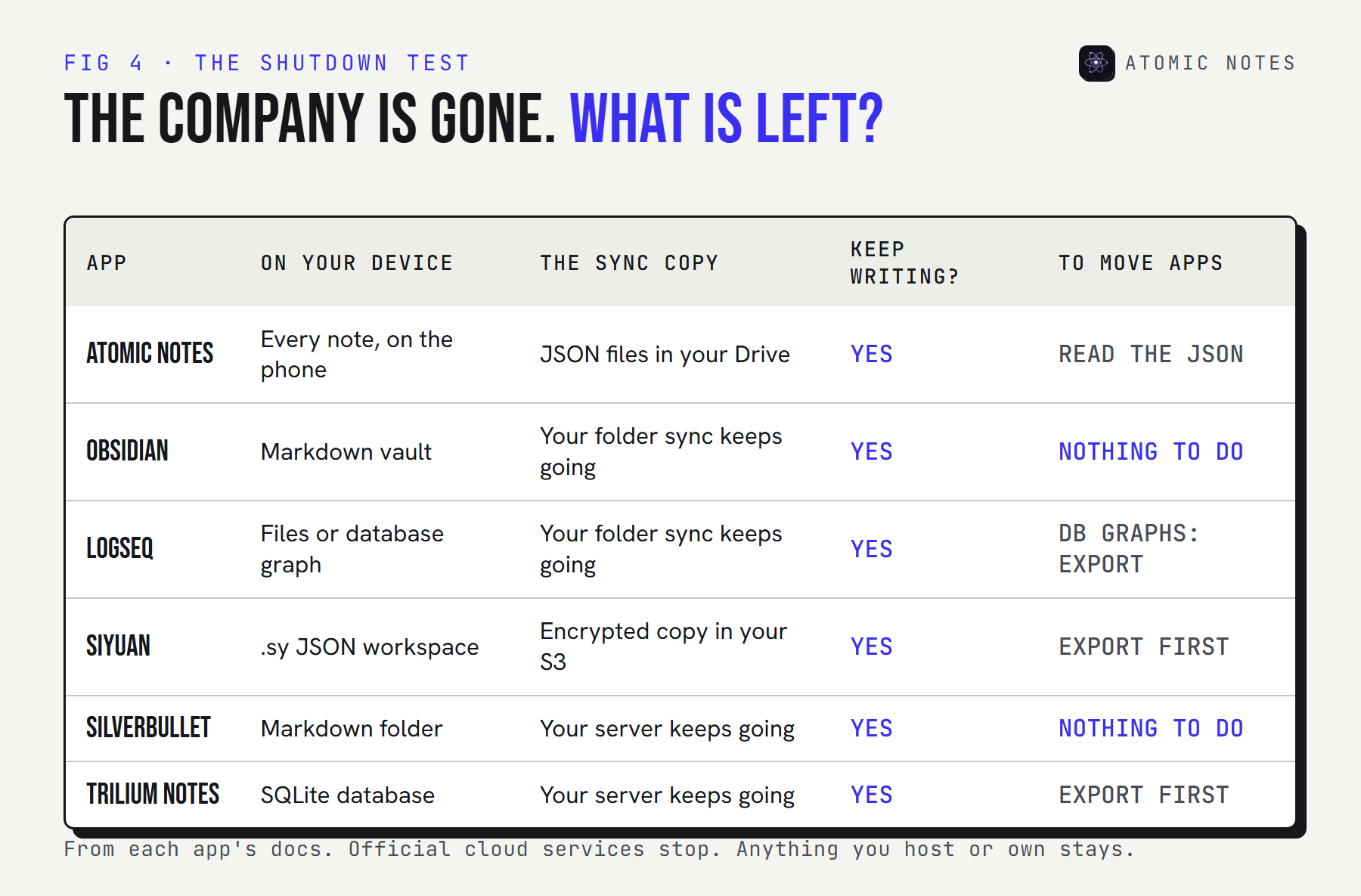
Try it on each app:
THOUGHT TEST · THE COMPANY IS GONE
It shut down overnight. What do you still have?
Pick an app to see what's left on your side.
ON YOUR DEVICE
Every note, in the app's storage on your phone.
THE SYNC COPY
One readable .atomic JSON file per note in your own Google Drive. New syncs stop, because they run through the Atomic Notes server.
CAN YOU KEEP WRITING?
Yes, offline, on the phone.
MOVING TO ANOTHER APP
One extra step
Read the JSON files in Drive. A one-tap export isn't built yet.
The honest result: every one of these local first note taking apps keeps your notes on your device. The differences are in how easily you can carry them somewhere else. Markdown folders win outright. A database is safe but needs an export step. Atomic Notes sits in between: readable JSON files in your own Drive, with a one-tap export still to come.
Which sync model fits you?
Decide who runs the sync, then pick the app. Some people want zero servers to look after. Others already run one at home and want to keep everything on it.
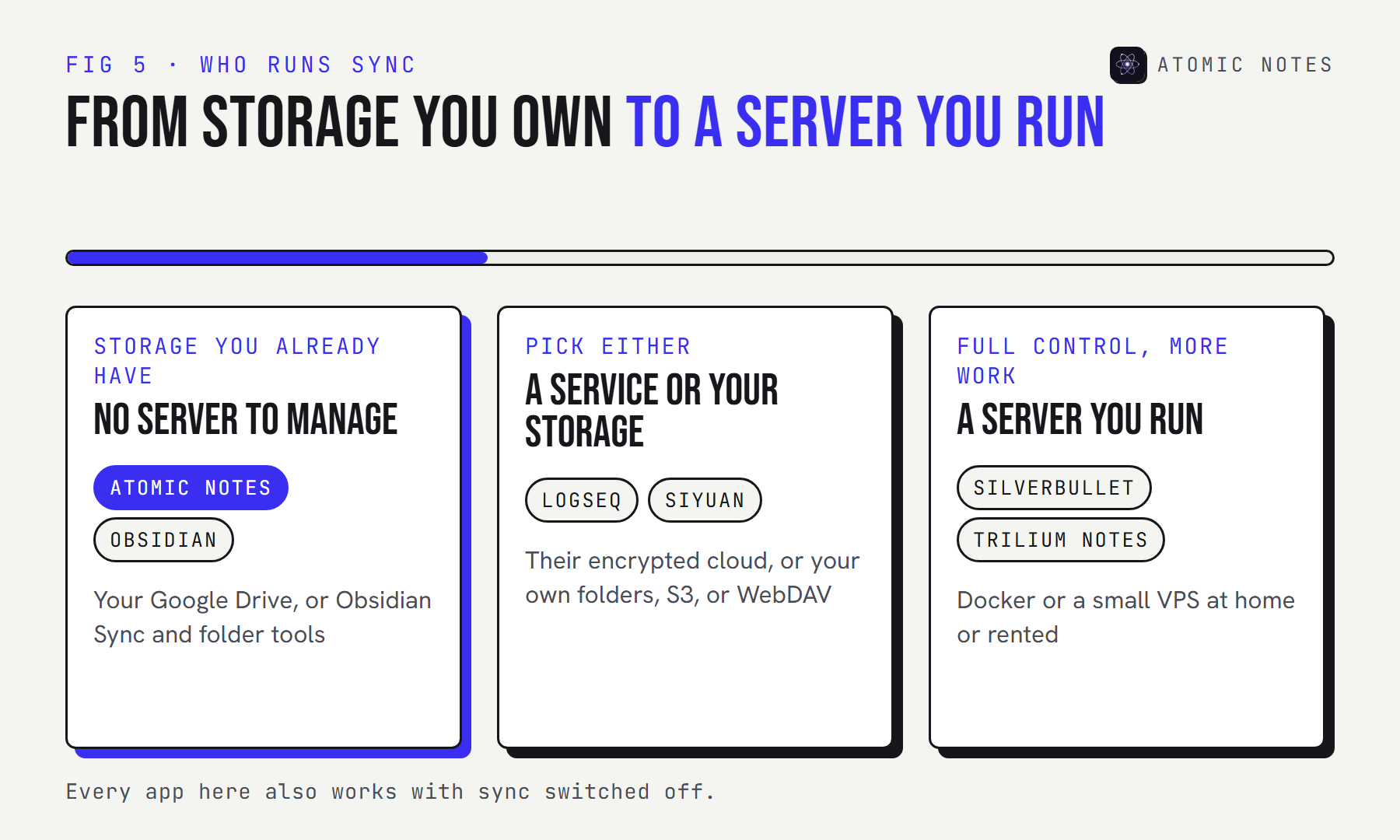
| If you want | Pick |
|---|---|
| Local first notes on an Android phone, synced to your own Drive | Atomic Notes |
| Markdown files on every platform, with optional encrypted sync | Obsidian |
| Daily journals and outlines | Logseq |
| Block references and a self-hosted Docker server | SiYuan |
| A programmable wiki in plain Markdown | SilverBullet |
| A large tree of notes on your own server | Trilium Notes |
My take after building one of these: the sync model matters more than any feature list. A beautiful editor can't save you from a sync layer you don't control, and the best local first note taking apps make sure you never have to trust one.
Are there other apps like Obsidian worth a look?
Yes. Anytype and Joplin come up in almost every "apps like Obsidian" thread. Anytype is another local first option with end-to-end encrypted sync. Joplin is a strong pick if encryption matters most. You'll find it in my roundup of encrypted notes apps instead, because no app appears twice across these lists.
I also left out apps that call themselves offline-friendly but keep the primary copy on a server. Those aren't local first note taking apps, however good their offline mode is. That rules out most mainstream notes apps, and it's why this list is short.
FAQ
What are local first note taking apps?
They're notes apps that keep the real copy of your notes on your own device. Sync to other devices is an extra layer you can turn off. If the company's server disappears, the app keeps working and your notes stay where they are.
What are the best apps like Obsidian?
Logseq and SilverBullet are the closest, since both can keep notes as Markdown files in a folder. SiYuan and Trilium Notes trade files for a local database with richer features. On Android, Atomic Notes keeps notes local first with sync to your own Drive.
Is local first the same as offline mode?
No. An offline mode caches notes that really live on a server, so the cache can go stale or be lost. Local first note taking keeps the primary copy on your device and syncs later. The server is a helper, not the owner of your notes.
Which local first note taking apps work on Android?
Atomic Notes is built for Android. Obsidian, Logseq, and SiYuan also have Android apps. SilverBullet and Trilium Notes work on phones through a browser connected to your own server, with SilverBullet's client able to keep working offline.
Do local first apps still need backups?
Yes. Your device may hold the only complete copy, and phones break. Use sync to a second place, a folder backup, or an export. Atomic Notes keeps a synced copy in your own Google Drive, so one lost phone doesn't take your notes with it.
Is Atomic Notes biased toward itself here?
I wrote it, so disclosure comes first and the ranking is open about it. The local first claims are easy to test: switch on airplane mode and keep writing. Its gaps are listed above: Android only, Google sign-in, no export button yet, and 30 free notes.
Keep reading
- What is a local first notes app?
- Local first architecture: the 4 layers behind Atomic Notes
- Notes app without internet: why offline should be the default
- Switch notes app safely: 7 checks before you move
Atomic Notes by DevBehindYou
A local first notes app for Android. Every note saves on your phone first, then syncs to a folder in your own Google Drive. Nothing to manage, no server of yours to run, and nothing in the app that reads your notes. Take the tour.
Sources
- Atomic Notes source code and releases. GitHub
- Local-first software: you own your data, in spite of the cloud. Ink & Switch
- Obsidian changelog
- Obsidian Sync security and privacy. Obsidian Help
- Logseq releases. GitHub
- Big update: Logseq is splitting into two versions. Logseq
- SiYuan. GitHub
- SilverBullet. GitHub
- Trilium Notes. GitHub
- Trilium AI documentation. GitHub