 ATOMIC NOTES
Quick answer
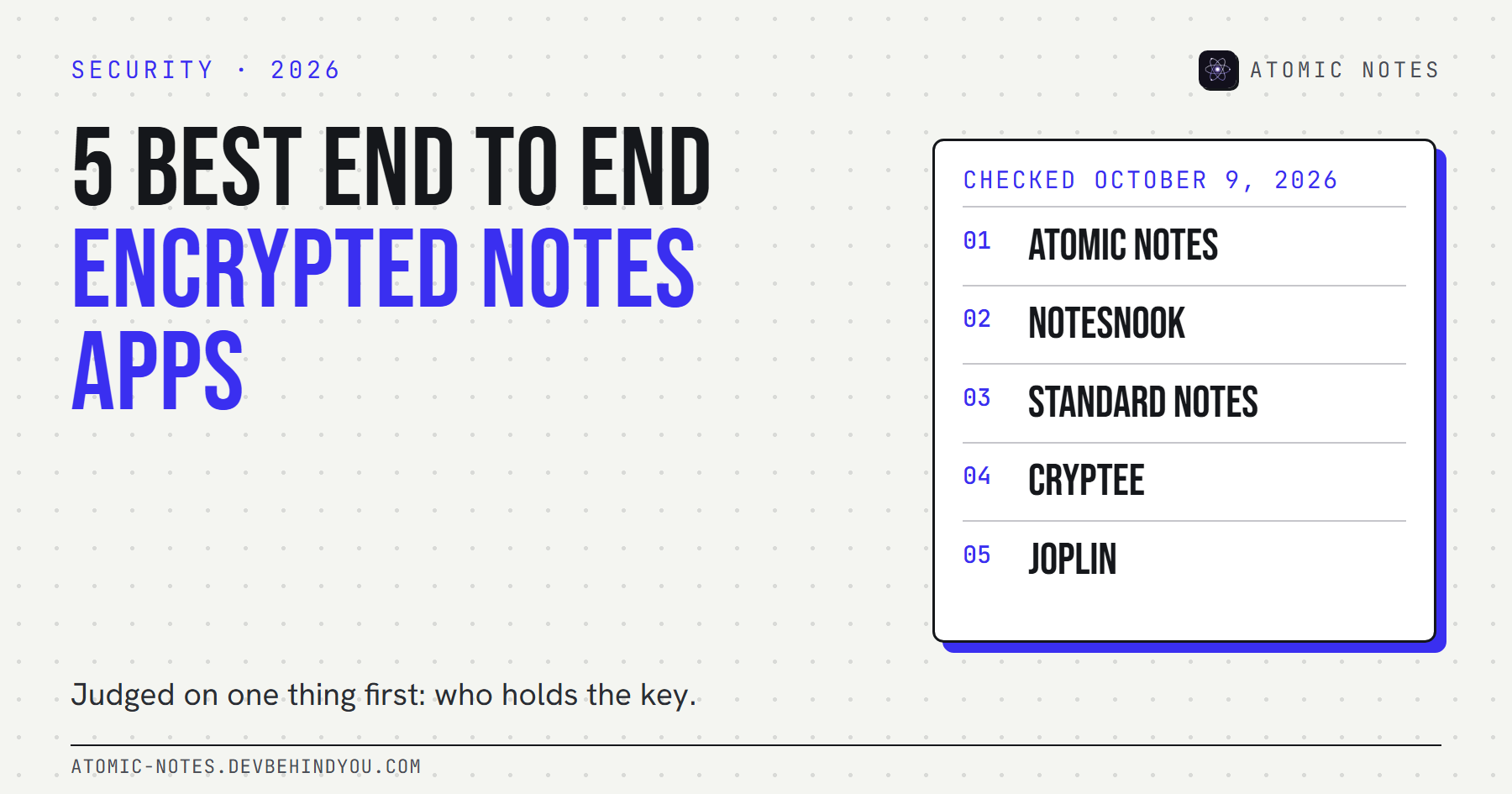
The best encrypted notes app is the one where only you hold the key. Notesnook, Standard Notes, and Cryptee encrypt everything by default. Joplin and Atomic Notes make end-to-end encryption a setting you switch on. Standard Notes is the only one here with published independent audits. Lose your password and recovery key, and none of them can help you.
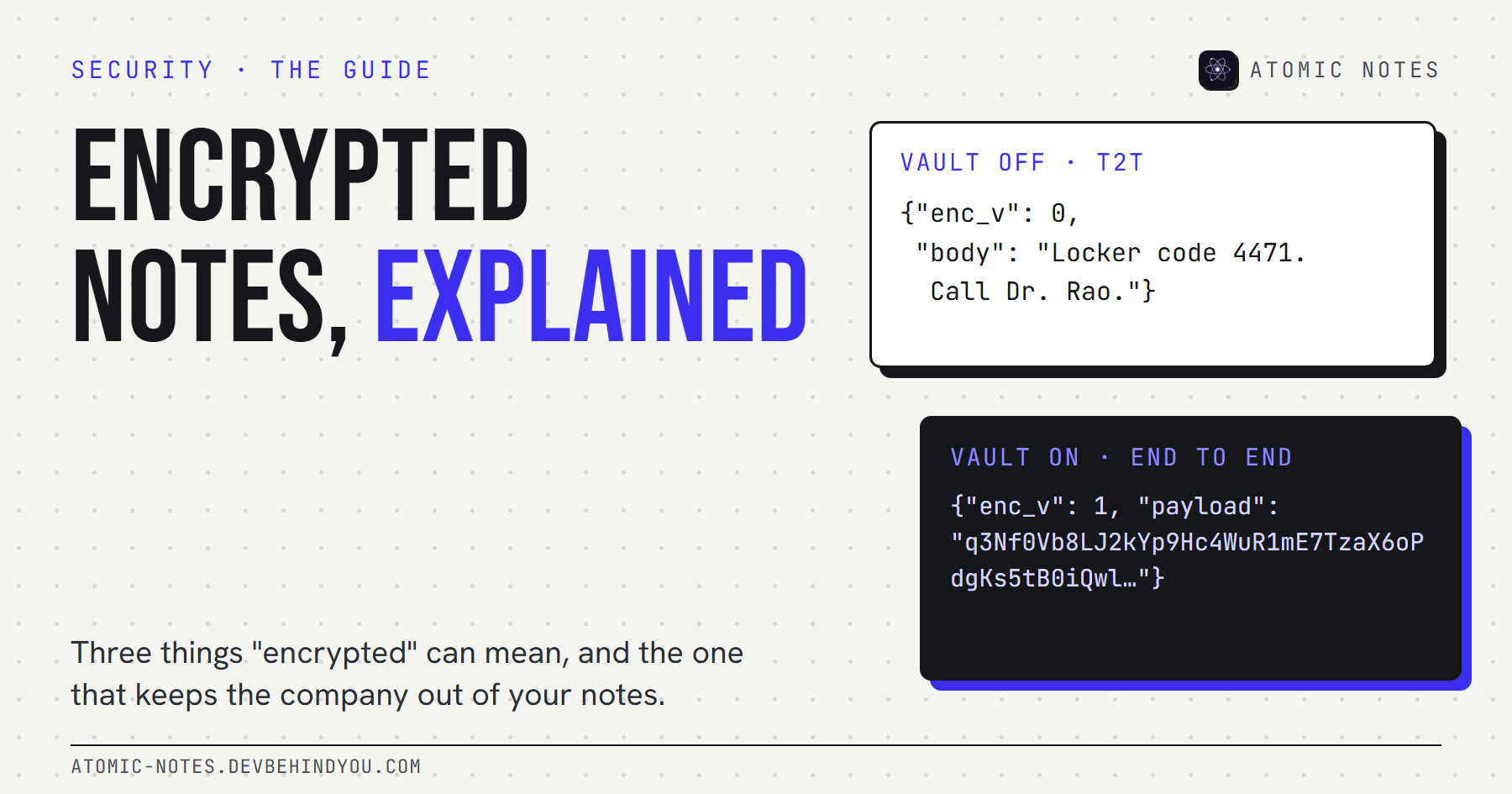
"Encrypted" is on almost every notes app's feature page. It can mean the trip over HTTPS, the company's hard drives, or your own phone. Only the last one keeps the company out.
So I judged every end to end encrypted notes app here on one thing first: where the key lives. That single fact decides the best encrypted notes app for you more than any cipher does. Then on what happens when you lose it, what's on by default, who has checked the code, and what the server still sees.
I read each app's own security documentation on October 9, 2026. I make Atomic Notes, which is why it's listed first. It's also weaker than the others in two places, and I'll show you exactly where.
What makes the best encrypted notes app?
Key ownership. If the company can decrypt your notes, the notes aren't end-to-end encrypted, whatever the marketing says. Strong ciphers are table stakes. AES-256 and XChaCha20 are both excellent. The difference is who can use them on your data.
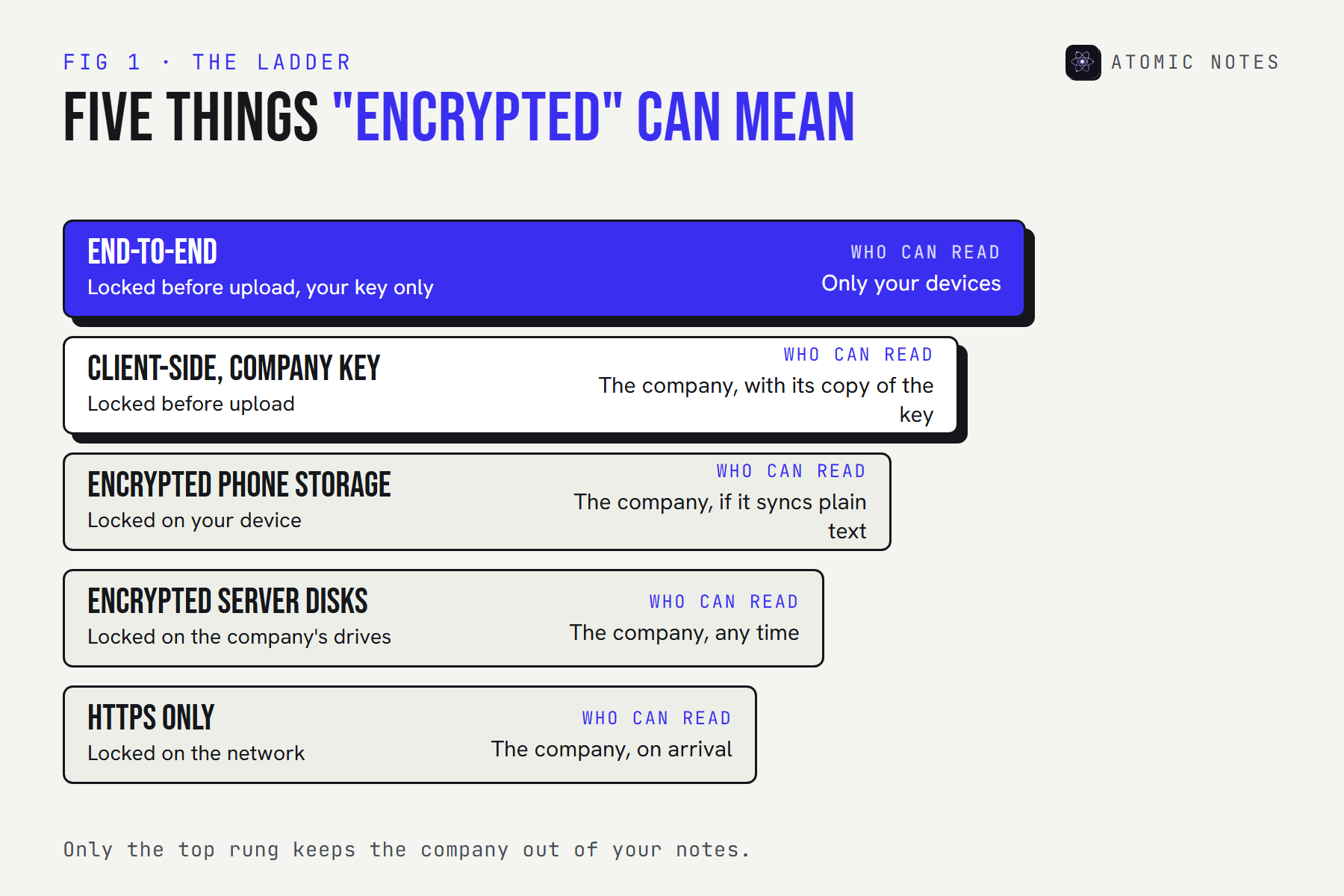
Here are the five questions I asked to find the best encrypted notes app for each kind of reader:
- Where is the key made? On your device, from a password or phrase only you know.
- Is encryption on by default? Default encryption protects the notes you write before you find the setting.
- What happens if you forget? Every honest answer involves a recovery key or a loss.
- Has anyone outside checked it? Public code helps. A published, independent audit helps more.
- What does the server still see? Timestamps, sizes, and your email address, at the very least.
If you want the basics first, my guide to encrypted notes, T2T, and end to end encryption explains each layer with a live demo.
How do the 5 apps compare?
Three encrypt everything from the first note, two make it a choice, and only one has published audits. If you're choosing the best encrypted notes app on evidence, that last point matters more than any cipher name.
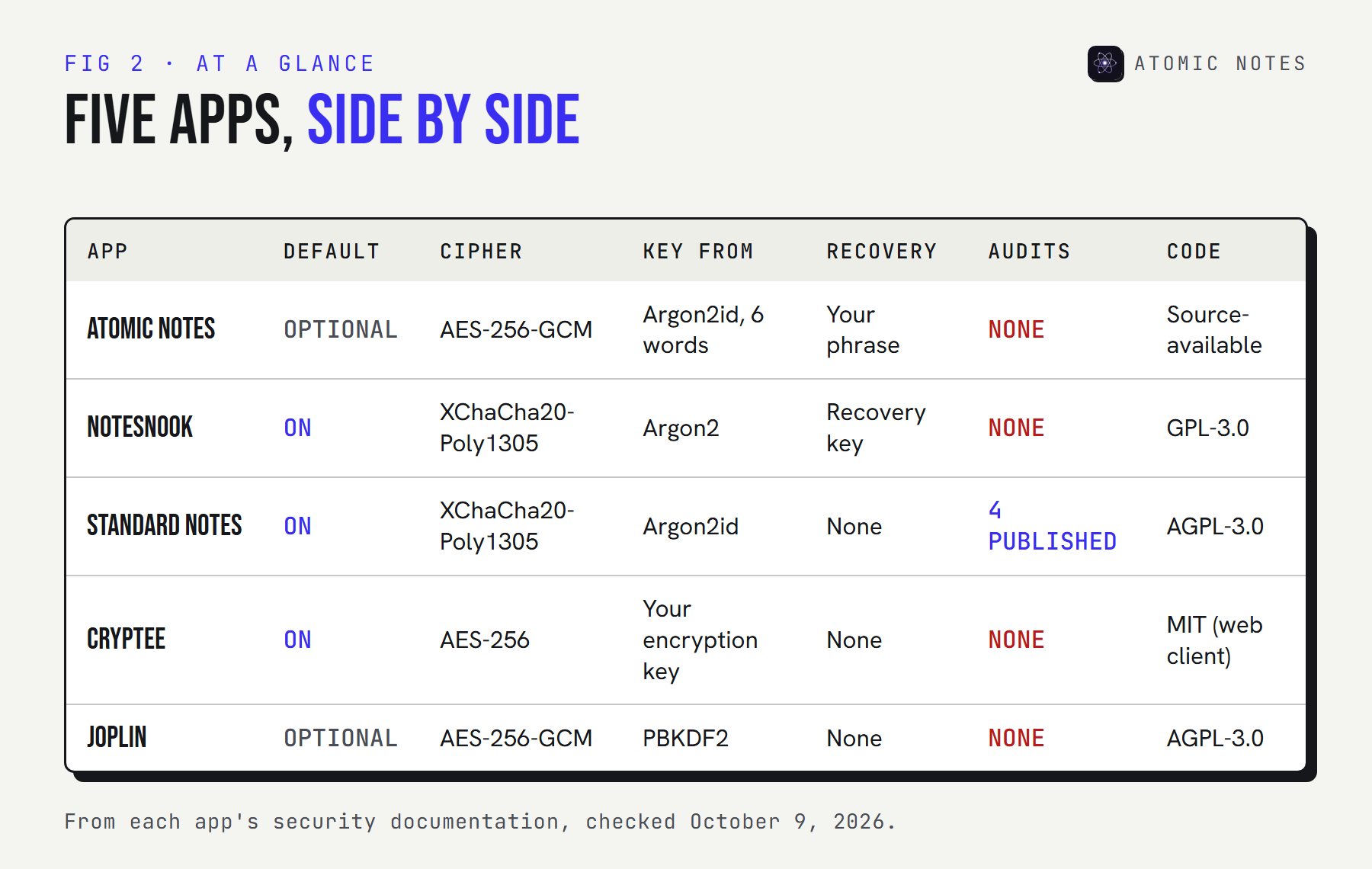
The 5 best end to end encrypted notes apps
Every entry answers the same questions: is it on by default, which cipher and key derivation it uses, how recovery works, who has audited it, and where it's weakest.
1. Atomic Notes
Pick it for: encrypted notes on Android that sync into your own Google Drive.
- Default: off. The end-to-end vault is a setting you turn on.
- Cipher and key: AES-256-GCM. A six-word recovery phrase (60 bits) becomes the key through Argon2id with 64 MiB of memory.
- Recovery: your six words. Lose them, and vault notes stay locked for good.
- Audits: none. The code is public to read, but nobody independent has reviewed it.
- Server sees: note IDs, type, pinned and deleted flags, timestamps, and rough size. Never text once the vault is on.
- Source: source-available on GitHub (read and verify, no reuse)
- Trade-off: with the vault off, note text passes through the sync server over HTTPS on its way to your Drive
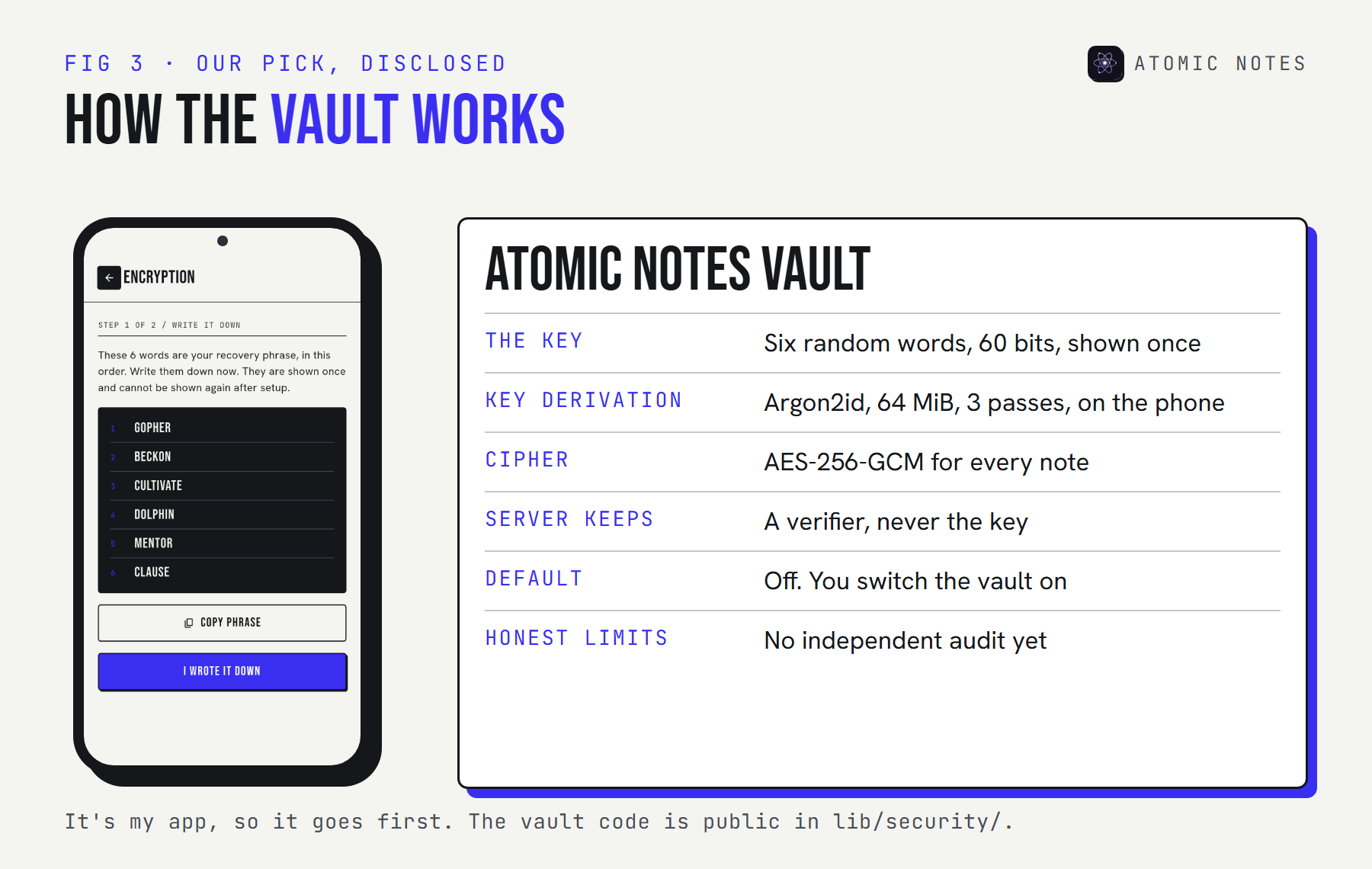
When you turn the vault on, the app re-seals every existing note on your phone and uploads the sealed versions. One honest gap I found while writing this: Google Drive keeps older versions of a file for up to 30 days, so a note that was plain text before you switched the vault on can linger in that file's version history until Drive drops it. If that matters, turn the vault on before you write anything sensitive.
So Atomic Notes is the best encrypted notes app here only if you want sync into storage you own and you're willing to flip one switch. If the best encrypted notes app for you is one where encryption can't be forgotten, the next three are stronger.
2. Notesnook
Pick it for: a polished E2EE notes app on every platform, with encryption you never have to think about.
- Default: on, for every note and notebook
- Cipher and key: XChaCha20-Poly1305, with the key derived from your password through Argon2
- Recovery: a recovery key you save at sign-up. Lose both the password and the key, and the notes can't be decrypted.
- Audits: none so far, and Notesnook says so itself
- Platforms: Android, iOS, Windows, macOS, Linux, and the web
- Source: open source under GPL-3.0
- Latest: version 3.4.9, October 6, 2026
Notesnook feels like a mainstream notes app, which is its real strength. On its own comparison page it calls the missing audit "the fairest criticism anyone makes of us". I respect that line more than any badge.
3. Standard Notes
Pick it for: writing you plan to keep for decades, with the most outside scrutiny on this list.
- Default: on, whenever you have an account
- Cipher and key: XChaCha20-Poly1305, with Argon2id (64 MiB, 5 iterations) and a random key for every note
- Recovery: none for a forgotten password. Keep it somewhere safe and offline.
- Audits: four published, by Cure53 (2019 and 2022), Trail of Bits (2020), and Shackle Labs (2017)
- Platforms: web, Windows, macOS, Linux, Android, and iOS
- Source: open source under AGPL-3.0
- Trade-off: many editors and extras sit behind a paid plan
If you want the most secure notes app by the evidence you can actually read, Standard Notes is the strongest case. Audited encryption is rare in this category, and these reports are public. Proton acquired it in 2024, and the code stayed open.
4. Cryptee
Pick it for: encrypted documents, notes, and photos in one private place.
- Default: on. Everything is encrypted in your browser before upload.
- Cipher and key: AES-256, with a separate encryption key that only you know
- Recovery: none for a lost encryption key
- Audits: none published
- Platforms: a web app you can install on any phone or computer
- Source: the web client is public under MIT
- Latest: support for the Open Document Format (ODT) in Docs, August 3, 2026
- Trade-off: no native apps, and more storage costs money
Cryptee is a small team in Estonia, and it shows in the focus. In March 2026 it added end-to-end encrypted photo album sharing, so it suits people whose private notes include scans and pictures, not just text.
5. Joplin
Pick it for: free, open source notes with encrypted sync to almost any storage you like.
- Default: off. You enable it with a master password, one device at a time.
- Cipher and key: AES-256-GCM, with the key derived through PBKDF2
- Recovery: none. Joplin says the master password can't be recovered.
- Audits: none published
- AI: optional AI chat on desktop, off by default
- Sync targets: Joplin Cloud, Dropbox, OneDrive, Nextcloud, WebDAV, S3, and more
- Source: open source under AGPL-3.0
- Latest: version 3.7.21, September 25, 2026
Joplin's docs give one piece of advice that every optional-encryption app should copy: switch encryption on for one device, let it sync fully, then move to the next. Turning it on in two places at once can create two competing keys.
What happens if you lose your password?
With true end-to-end encryption, the company can't reset your way back in. That's the whole point, and it's the trade every end to end encrypted notes app asks you to accept.
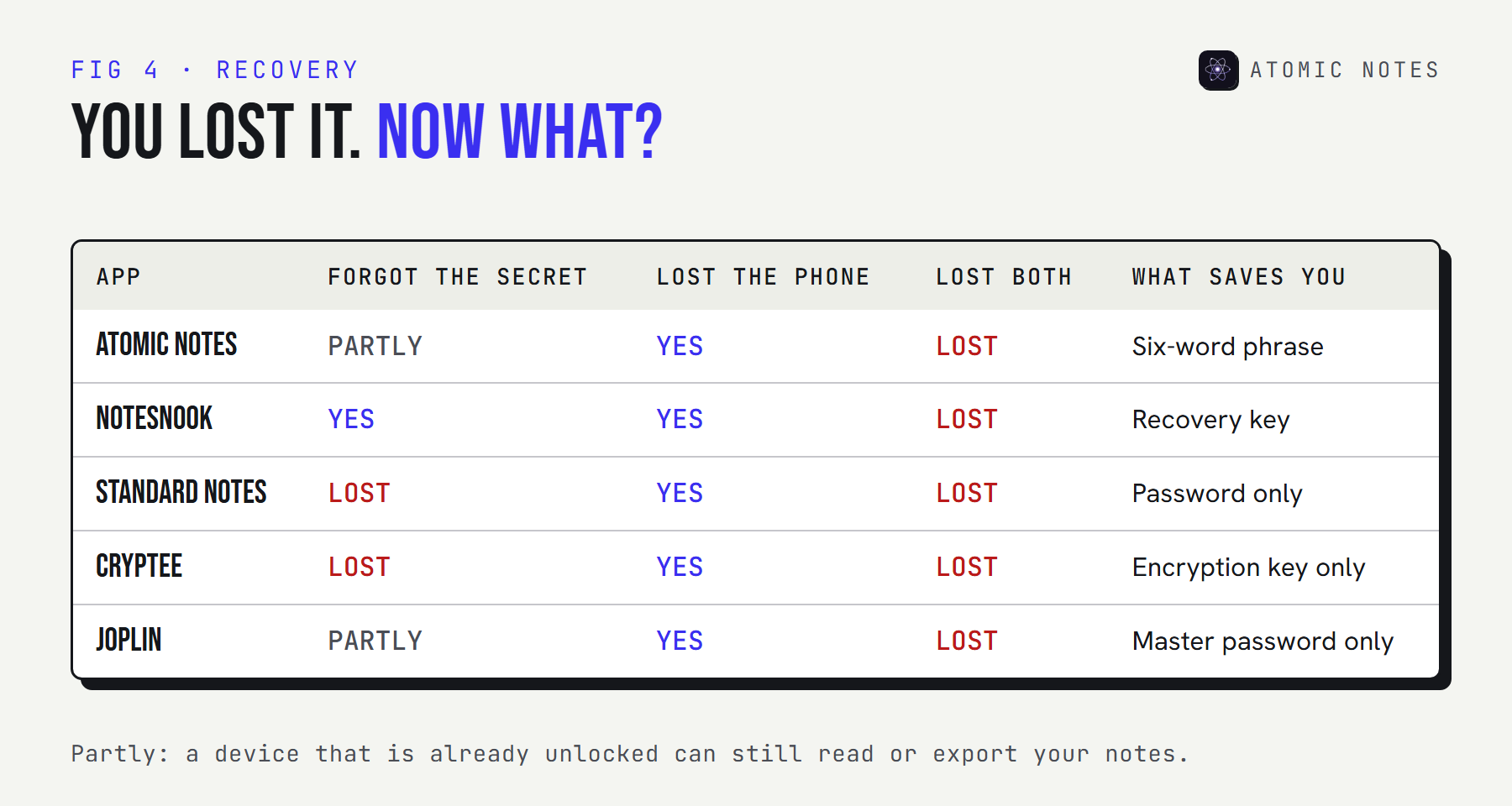
Pick an app and what you lost to see where you'd stand:
TRY IT · RECOVERY CHECK
You lost something. Can you get back in?
Pick an app, then pick what you lost.
App
I lost
ATOMIC NOTES (VAULT ON)
PARTLY
A phone that already has the vault open keeps reading it. No new device can ever open those notes, so copy them out of the vault now.
From each app's security documentation, October 9, 2026. A general guide, not a promise of support.
The practical rule is the same for every app, including the best encrypted notes app on this list. Write the password or phrase on paper, store it away from your phone, and test it once before you need it. A recovery key in the same notes app it protects isn't a backup.
How strong is your password, really?
Strength comes from randomness, then from how slow the key derivation is. A memory-hard function like Argon2id makes every guess expensive. A weak password still falls if it's short enough.
TRY IT · GUESSING TIME
How long to guess your secret?
Pick a secret, how the app stretches it, and how much hardware an attacker brings.
Secret
Key derivation
Attacker GPUs
STRENGTH
60 BITS
if every character or word is chosen at random
AVERAGE TIME TO GUESS
1.8 THOUSAND YEARS
memory-hard (argon2id-class)
Assumes 10,000,000,000 guesses per second per GPU against a fast hash and 1,000 against a memory-hard key. Real rates vary with hardware and settings. A password you picked yourself is weaker than these numbers.
This is where the best secure notes app designs differ quietly, and where the best encrypted notes app earns its name. Standard Notes and Atomic Notes both use Argon2id with 64 MiB of memory, which turns a cheap guess into real hardware cost. Joplin uses PBKDF2, which is older but still standard. None of it saves a password like "notes2026".
What do encrypted notes apps still see?
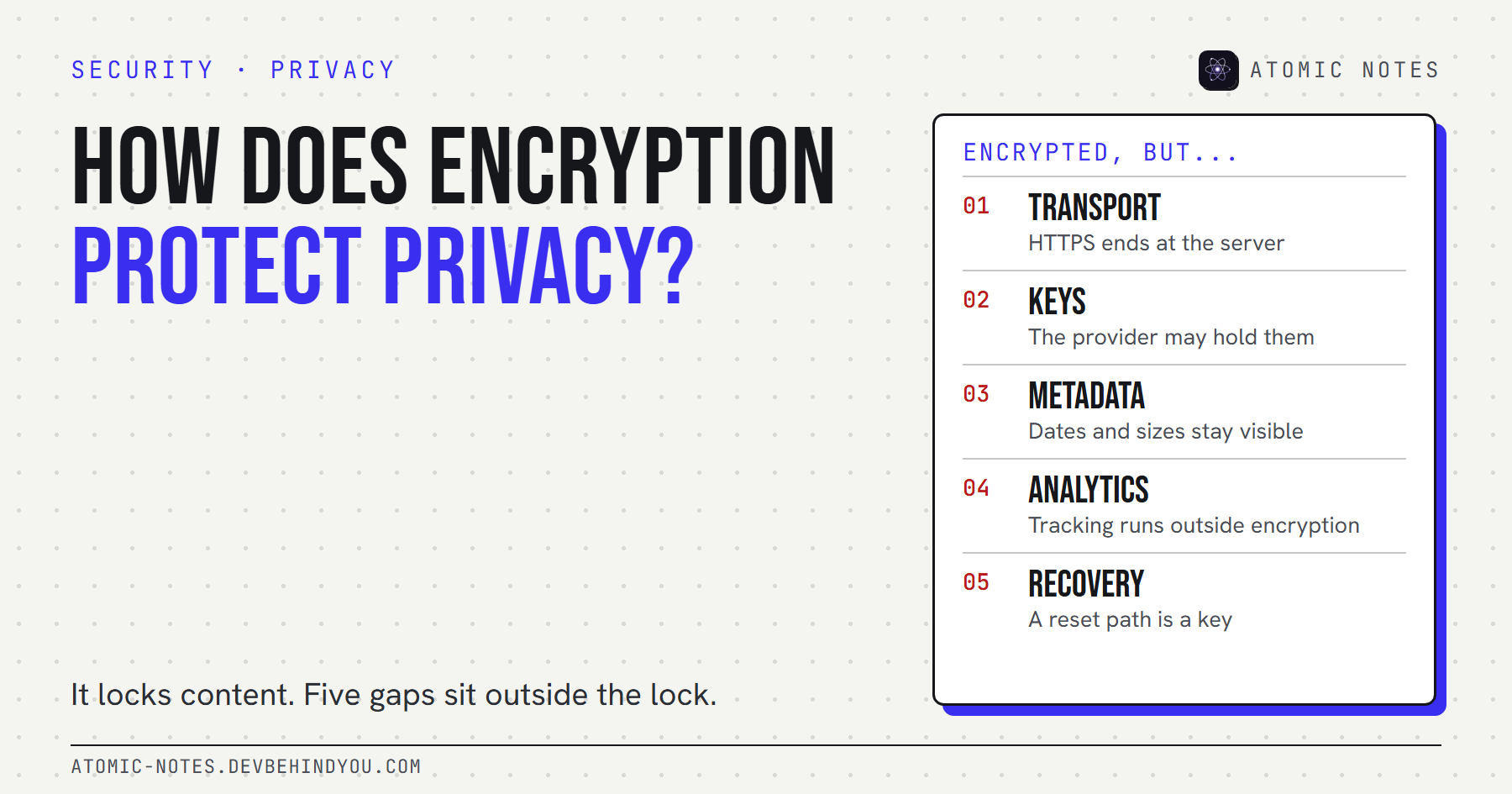
Metadata. Every sync service needs some, and the honest ones name it. End-to-end encryption hides what you wrote, not when you wrote it.
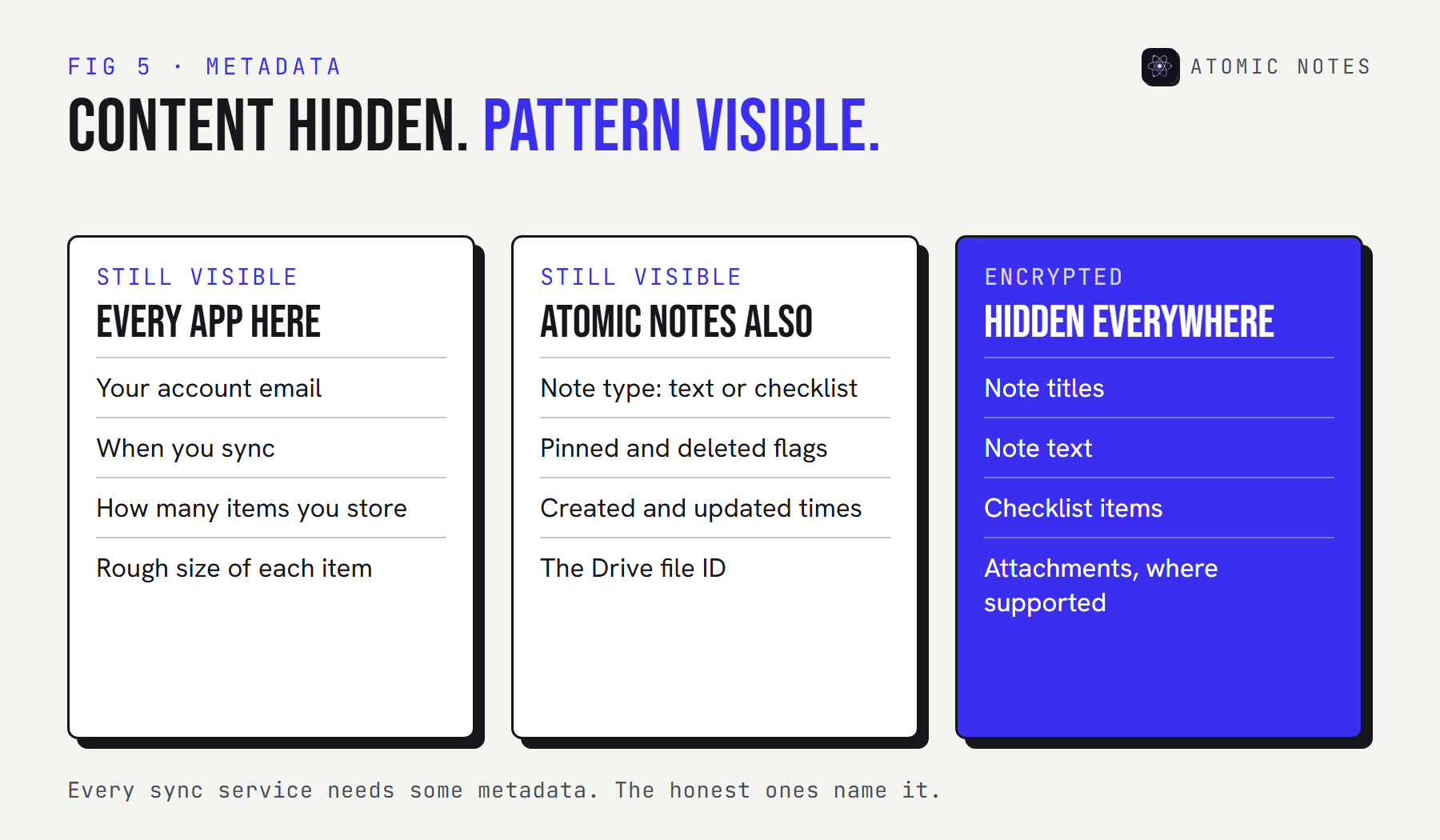
All five servers know your account, when you sync, and roughly how much you store. Atomic Notes also tracks each note's type and its pinned and deleted flags, so it can sync without conflicts. My guide to notes app metadata shows what that kind of data can reveal.
| If you want | Pick |
|---|---|
| Encryption you never switch on, on every platform | Notesnook |
| Published audits and decades-long writing | Standard Notes |
| Encrypted notes, documents, and photos together | Cryptee |
| Free encrypted sync to storage you choose | Joplin |
| Android notes in your own Google Drive, vault optional | Atomic Notes |
My take: there's no single most secure notes app. There's the one whose key you hold, whose recovery story you understand, and whose claims someone outside has checked.
FAQ
What is the best encrypted notes app in 2026?
For encryption on by default with outside audits, Standard Notes. For a polished app on every platform, Notesnook. For Android notes synced into your own Google Drive, Atomic Notes with its vault switched on. All three keep the key on your devices only.
What is the most secure notes app?
No app earns that title outright. Standard Notes has the most published evidence, with four independent audits. Your own habits matter just as much: a long random password, a saved recovery key, and a locked phone protect any end-to-end encrypted notes app.
Can the company read an end to end encrypted notes app?
Not the notes themselves. Your device encrypts each note before upload, and only your devices hold the key. The company still sees metadata such as your email address, when you sync, and how much you store.
Is Joplin end-to-end encrypted?
Yes, once you enable it. Joplin encrypts notes, notebooks, tags, and attachments with AES-256-GCM using a master password. It's off by default, and the master password can't be recovered, so set it up carefully on one device first.
Does default encryption matter?
Yes. With optional encryption, notes written before you switch it on may already sit unencrypted in the cloud or its version history. Apps with default encryption never upload a readable note, so there's nothing to clean up later.
Is Atomic Notes the best encrypted notes app?
Not by strength. I build it, so it's listed first, but its vault is optional, it has no audit yet, and plain notes pass through the server until you turn the vault on. Its strength is sync into your own Drive, with public code you can check.
Keep reading
- Encrypted notes explained: T2T vs end to end encryption
- 7 best private notes apps for Android
- Notes app metadata: 8 things it knows without reading notes
- Encrypted is not private: 5 gaps to check
Atomic Notes by DevBehindYou
Switch on the vault and every note is sealed on your phone with AES-256-GCM, behind six words only you know. The sync server and your Google Drive only ever hold ciphertext. Read the vault code.
Sources
- Atomic Notes source code and releases. GitHub
- How is my data encrypted? Notesnook Help
- Notesnook vs Standard Notes. Notesnook
- Encryption whitepaper. Standard Notes Help
- Has Standard Notes completed a third-party security audit? Standard Notes Help
- Cryptee blog updates. Cryptee
- Cryptee web client. GitHub
- End-to-end encryption. Joplin Help
- Joplin AI chat documentation. GitHub
- Check activity and file versions. Google Drive Help