 ATOMIC NOTES
Quick answer
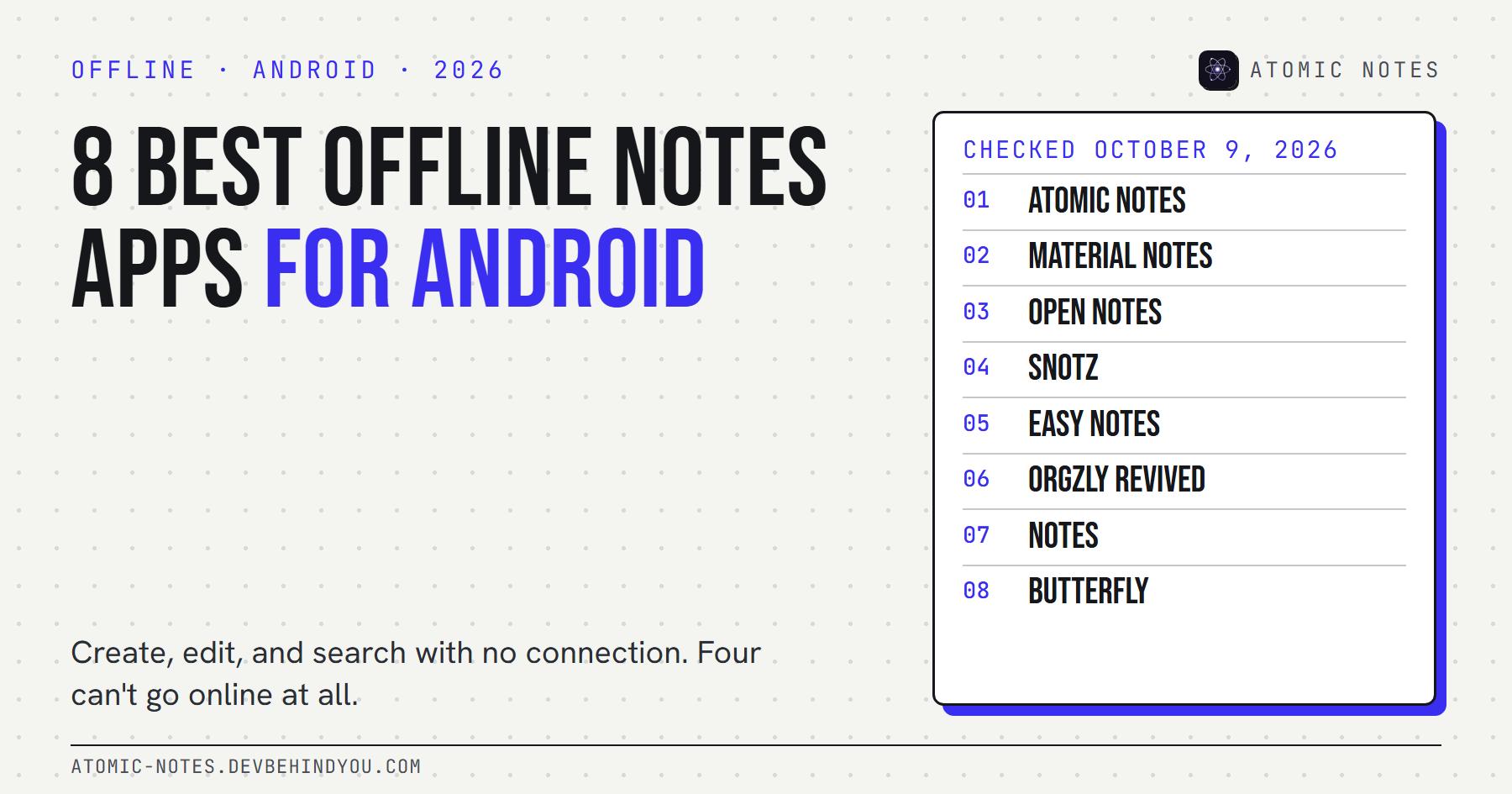
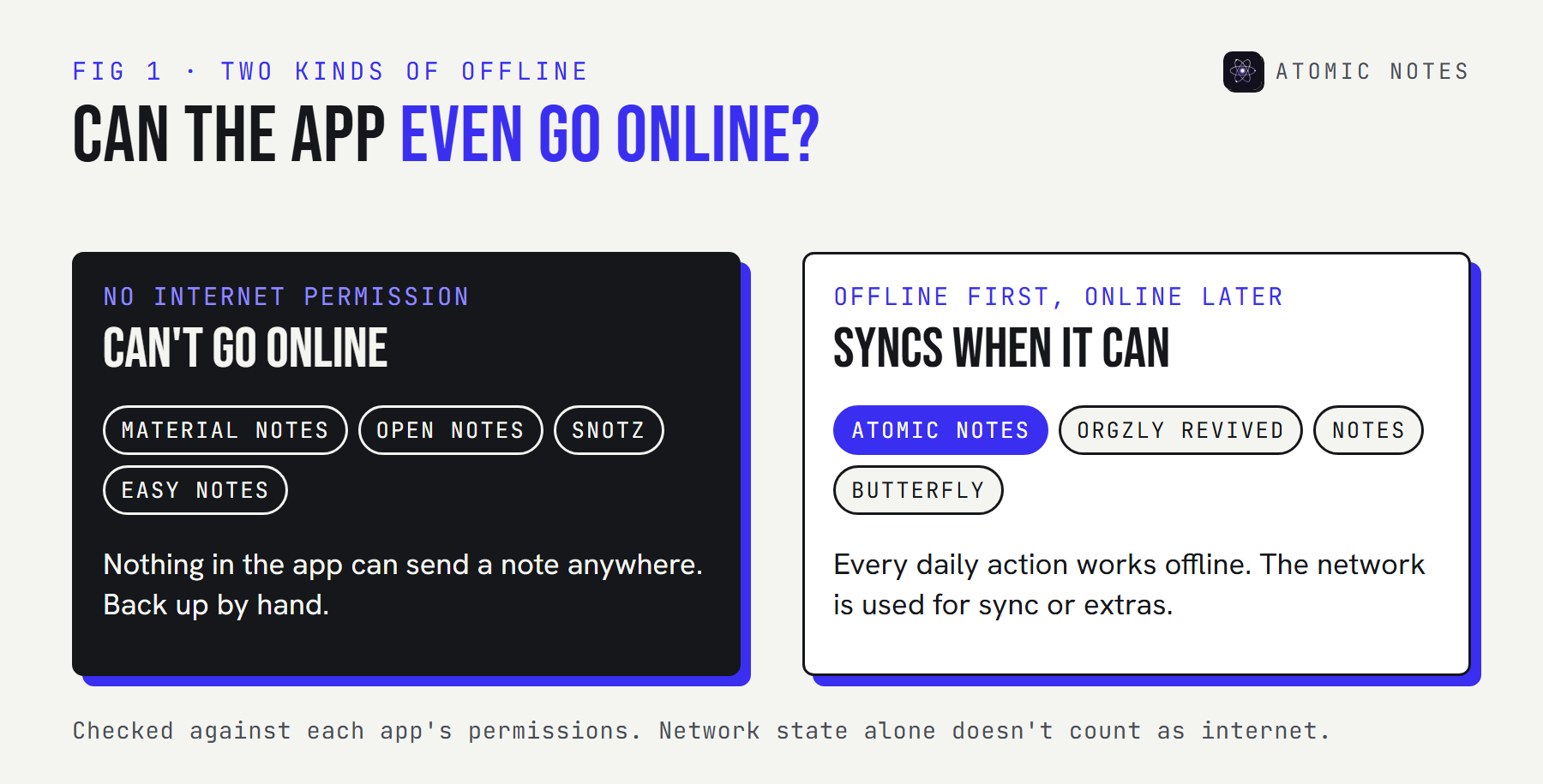
The best offline notes app Android users can install depends on whether they want sync. Material Notes, Open Notes, sNotz, and Easy Notes have no internet permission at all. Atomic Notes, Orgzly Revived, Notes, and Butterfly work fully offline and can sync or reach the network when you ask. Atomic Notes is the only one that syncs to your own Google Drive by itself.
Most notes apps will tell you they work offline. Try one on a long flight and the truth shows up fast: a spinner, a "you're offline" banner, a new note that never appears on your other phone.
I wanted an offline notes app android users can trust in a tunnel, on a plane, or in a village with one bar. So every pick here creates, edits, and searches notes with no connection at all. Then I sorted them by a fact anyone can check: whether the app asks Android for internet access.
I checked every app's F-Droid listing and its AndroidManifest.xml on October 9, 2026. Atomic Notes is my own app. It's first, with its limits listed in the same plain terms as the others.
What makes the best offline notes app Android users can trust?
It saves to local storage first and never needs the network to do your daily work. Sync, if there is any, happens later and catches up by itself.
Four checks decide it:
- It opens in airplane mode with your notes already there, no spinner.
- You can create, edit, and search with no connection.
- Offline edits are safe. They either never need to sync, or they sync later without losing anything.
- You can back up. An export, a backup file, or a synced copy, because the phone may hold the only one.
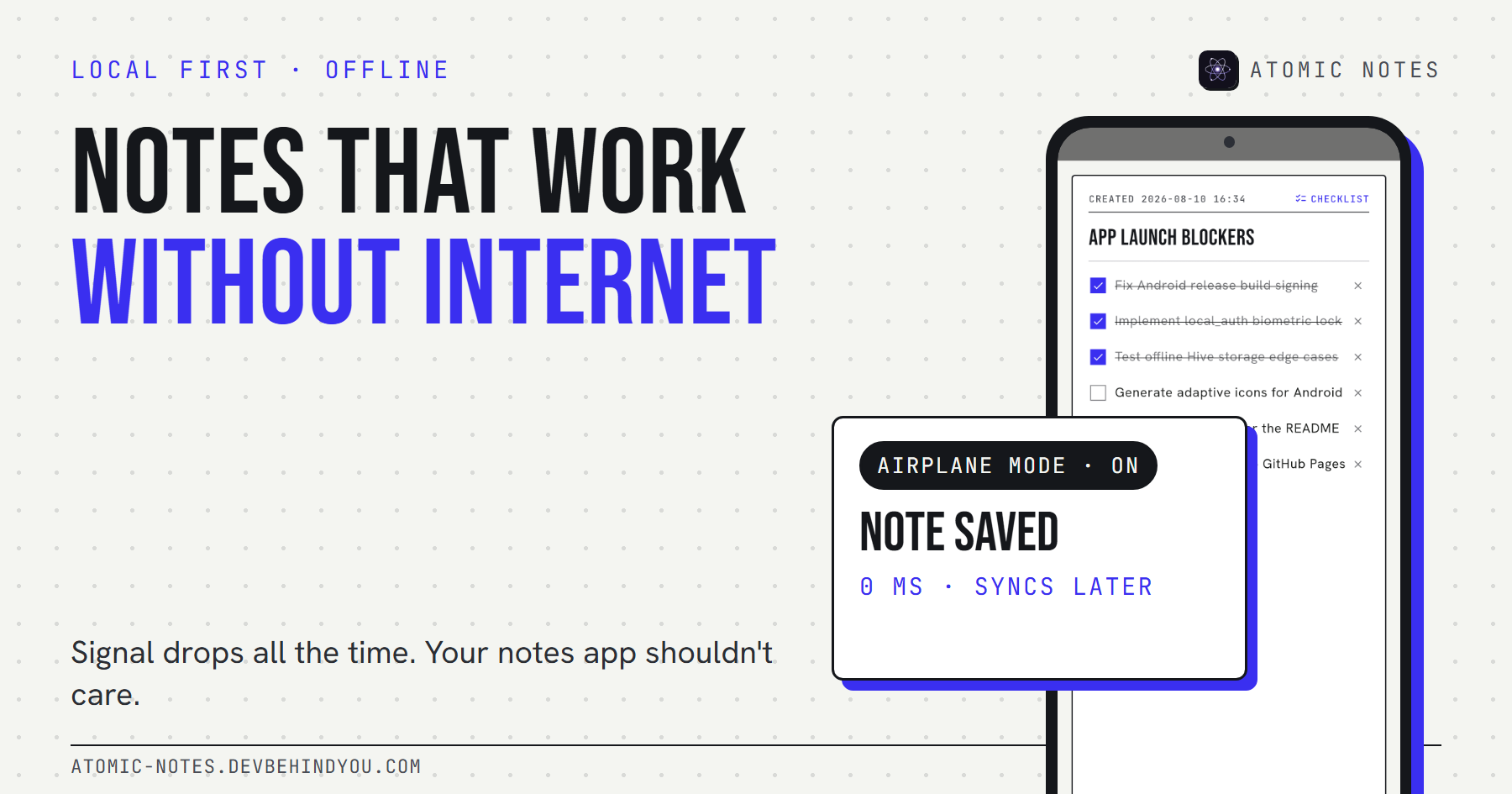
An app with no internet permission passes the first two by design. That's also the strongest privacy guarantee Android offers, since the app has no way to send a note anywhere. If you want to see why offline should be the default for any notes app, my piece on notes apps without internet covers the reasons and a five-minute test.
How do the 8 apps compare?
Half can't reach the internet. Half can, for sync or extras. Only one needs an account. Here's the whole list.
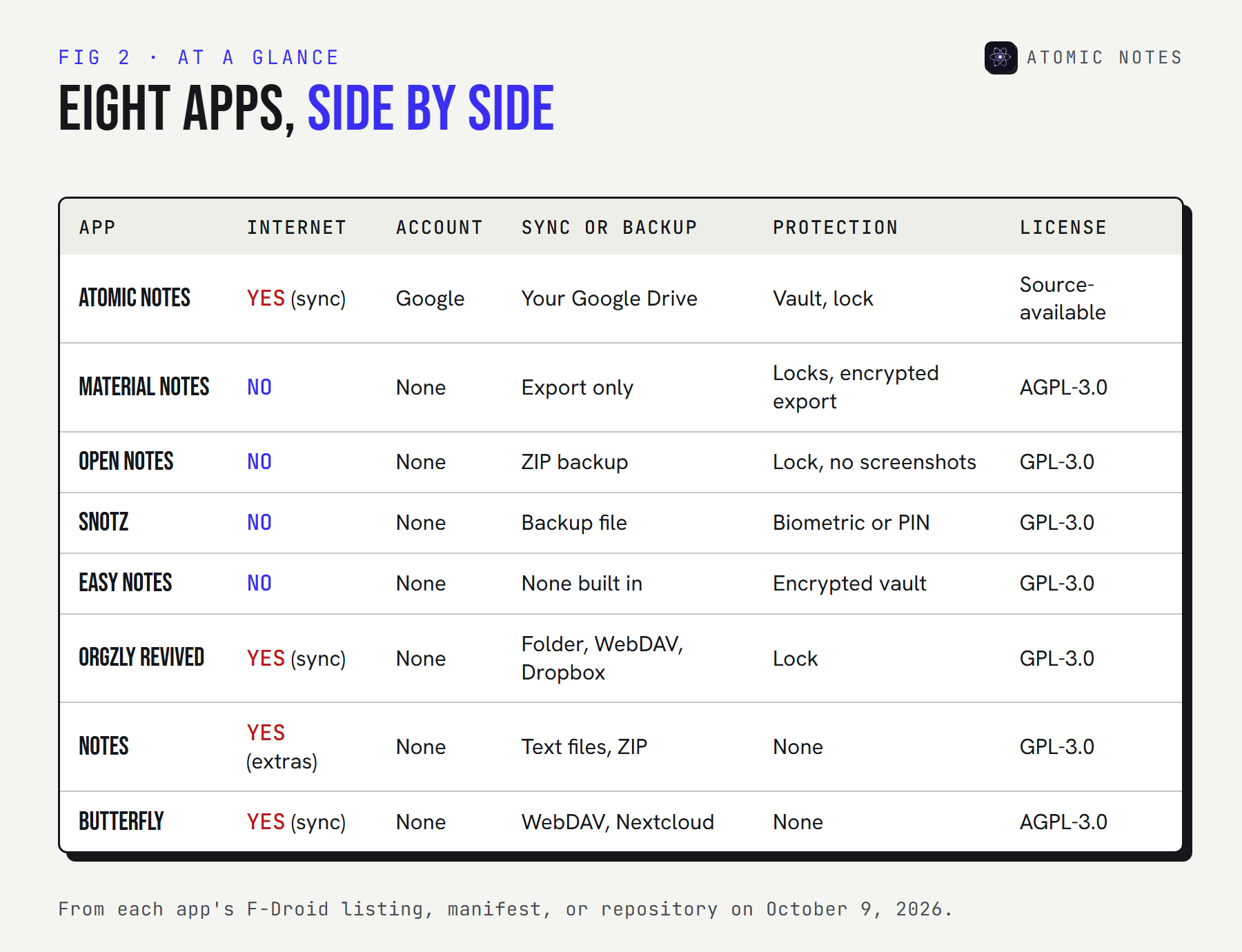
Tell the finder what you need and it narrows the list:
FIND YOURS · 8 APPS, 10 FILTERS
What should your offline notes app do for you?
Tick what matters. Only apps that do all of it stay on the list.
- Atomic NotesOffline first, synced to your own Google Drive later.
- Material NotesNo internet permission, locks, scheduled exports.
- Open NotesMarkdown, reminders, screenshot block, ZIP backup.
- sNotzQuick notes and checklists with widgets.
- Easy NotesMarkdown with images and an encrypted vault.
- Orgzly RevivedOrg mode plain text, WebDAV or Dropbox sync.
- Notes (Bill Farmer)Markdown saved as ordinary text files.
- ButterflyHandwriting and sketches, optional WebDAV.
8 / 8 Pick a filter to narrow the list.
The 8 best offline notes apps for Android
To find the best offline notes app Android owners will actually keep, every entry lists what the app can reach, whether it needs an account, how you back it up, and its weak spot.
1. Atomic Notes
Pick it for: an offline notes app that also syncs into your own Google Drive.
- Offline: write, edit, check off, search, and delete with no connection. Every note saves on the phone as you type.
- Can reach: the internet for sync, network state, and the fingerprint lock
- Account: a Google account, used once to sign in
- Sync: optional, to a folder in your own Drive. Edits made offline sync later by themselves.
- Protection: an optional end-to-end vault, a biometric lock, and a no-screenshots mode
- Code: source-available on GitHub
- Latest: 2.03.5, September 28, 2026
- Weak spot: the first sign-in needs internet, the free plan holds 30 notes, and there's no export button yet
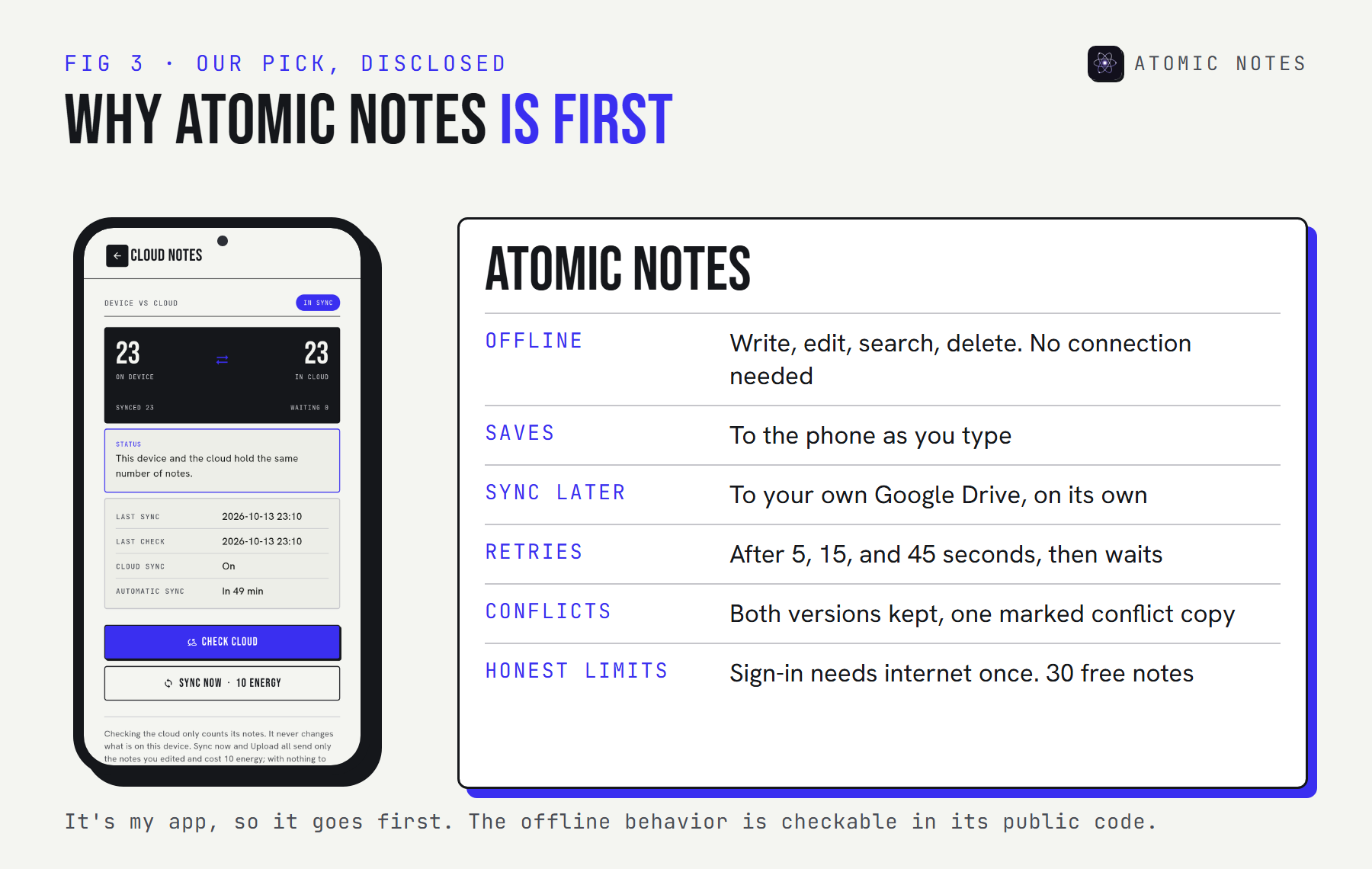
When the network comes back, Atomic Notes retries a failed sync after 5, 15, and 45 seconds, then waits for the next trigger instead of draining the battery. If an offline edit collides with one from another device, the app keeps both and names one "(conflict copy)". That's why it's my pick for the best offline notes app Android users can run on two phones.
2. Material Notes
Pick it for: a clean notebook that can't go online even if it tried.
- Offline: full. The app has no internet permission.
- Can reach: only the biometric hardware, for the lock
- Account: none
- Notes: plain text, Markdown, rich text, and checklists, with tags, pins, and a bin
- Protection: lock the app, one note, or every note with a tag
- Backup: JSON export (encryption optional, and it can run on a schedule) and Markdown export
- Code: open source under AGPL-3.0
- Latest: 2.2.2 on F-Droid, July 16, 2026
Material Notes has the shortest permission list on this page, which makes it the best offline notes app Android offers for pure privacy. For an offline note taking app that you install and forget, it's the one I'd hand to a relative.
3. Open Notes
Pick it for: Markdown notes and checklists behind a biometric lock.
- Offline: full, with no internet permission
- Can reach: notifications for reminders, start at boot, and the biometric lock
- Account: none
- Notes: Markdown with headers, checklists, code blocks, and quotes, plus home screen widgets
- Protection: an app lock and a switch that blocks screenshots
- Backup: your whole library as one ZIP file
- Code: open source under GPL-3.0
- Latest: 1.4.1 on F-Droid, September 23, 2026
Open Notes is moving fast, with three F-Droid releases since June 2026. The ZIP backup makes moving to a new phone a two-minute job.
4. sNotz
Pick it for: quick notes and checklists with widgets and reminders.
- Offline: full, with no internet permission
- Can reach: notifications, the biometric lock, shared storage, and the camera
- Account: none
- Notes: simple notes and checklists, reminders, and home screen widgets
- Protection: biometric or PIN lock for single notes
- Backup: built-in backup and restore
- Code: open source under GPL-3.0
- Latest: 0.35 on GitHub, July 19, 2026. F-Droid still lists 0.34 from August 2025.
sNotz asks for more permissions than the two apps above, so check them against what you'll use. None of them include the internet, though, so your notes stay put.
5. Easy Notes
Pick it for: Markdown with images, plus an encrypted vault for the private stuff.
- Offline: full, with no internet permission
- Can reach: the biometric lock
- Account: none
- Notes: full Markdown, including images
- Protection: an encrypted notes vault
- Code: open source under GPL-3.0
- Latest: 1.7 on F-Droid, May 18, 2026
- Weak spot: the last code change in its repository dates from January 2026, so updates have slowed
If you want encryption inside an app that never goes online, Easy Notes is the only pick here that does both. It's an offline note taking app with a safe built in.
6. Orgzly Revived
Pick it for: plain-text planning in Org mode, with schedules and deadlines.
- Offline: full. Notebooks live as plain-text Org files.
- Can reach: the internet for WebDAV and Dropbox sync, plus calendar and alarms for reminders
- Account: none
- Sync: a folder on the phone, an SD card, WebDAV, or Dropbox
- Extras: priorities, tags, saved searches, and agenda views
- Code: open source under GPL-3.0
- Latest: 1.23.1, October 4, 2026
Orgzly Revived is a community fork that kept the original Orgzly alive, and it's the best offline notes app Android planners can get for Org files. Plain Org files age better than any database, and any text editor can open them.
7. Notes (by Bill Farmer)
Pick it for: Markdown notes saved as ordinary text files.
- Offline: full for writing and search
- Can reach: the internet, used for extras like OpenStreetMap maps, and all of shared storage
- Account: none
- Storage: plain text files in a folder you choose
- Backup: ZIP backups
- Code: open source under GPL-3.0
- Latest: 1.41, March 1, 2026
Notes is a small, quiet app from a developer with a long shelf of F-Droid tools. Because notes are text files, any sync app you already trust can carry them, which turns a simple offline note taking app into a portable one.
8. Butterfly
Pick it for: handwriting, sketches, and diagrams on an endless canvas.
- Offline: full, with files stored on the device
- Can reach: the internet for WebDAV, Nextcloud, and live collaboration, plus the camera and microphone
- Account: none
- Sync: optional WebDAV or Nextcloud
- Platforms: phones, tablets, desktops, and the web
- Code: open source under AGPL-3.0
- Latest: 2.6.0, September 28, 2026
Butterfly is the one to pick if you think with a pen. On a tablet with a stylus, it's the best offline note taking app on this list.
Which apps can even reach the internet?
Four of the eight can't. An app without the internet permission has no way to send your notes off the phone by itself. "View network connections" sounds similar, but it only lets an app check whether you're online.
Tap an app to read its permissions in plain English:
READ IT · PERMISSIONS IN PLAIN ENGLISH
Can this app reach the internet?
Pick an app to see every permission it asks Android for.
ATOMIC NOTES
Yes, it can go online
It can work offline, but it's able to reach servers for sync or extras.
- The app can open connections to any server. This is the one that lets notes leave the phone.FULL NETWORK ACCESS
- The app can check whether you're online. It can't send anything with this alone.VIEW NETWORK CONNECTIONS
- Fingerprint or face unlock for an app or note lock.USE BIOMETRIC HARDWARE
From each app's F-Droid listing or AndroidManifest.xml, October 9, 2026. Small internal permissions are left out.
How do you back up an offline notes app?
On a schedule, to a second place, and you test the restore once. An offline notes app keeps your notes safe from servers. It doesn't keep them safe from a dropped phone.
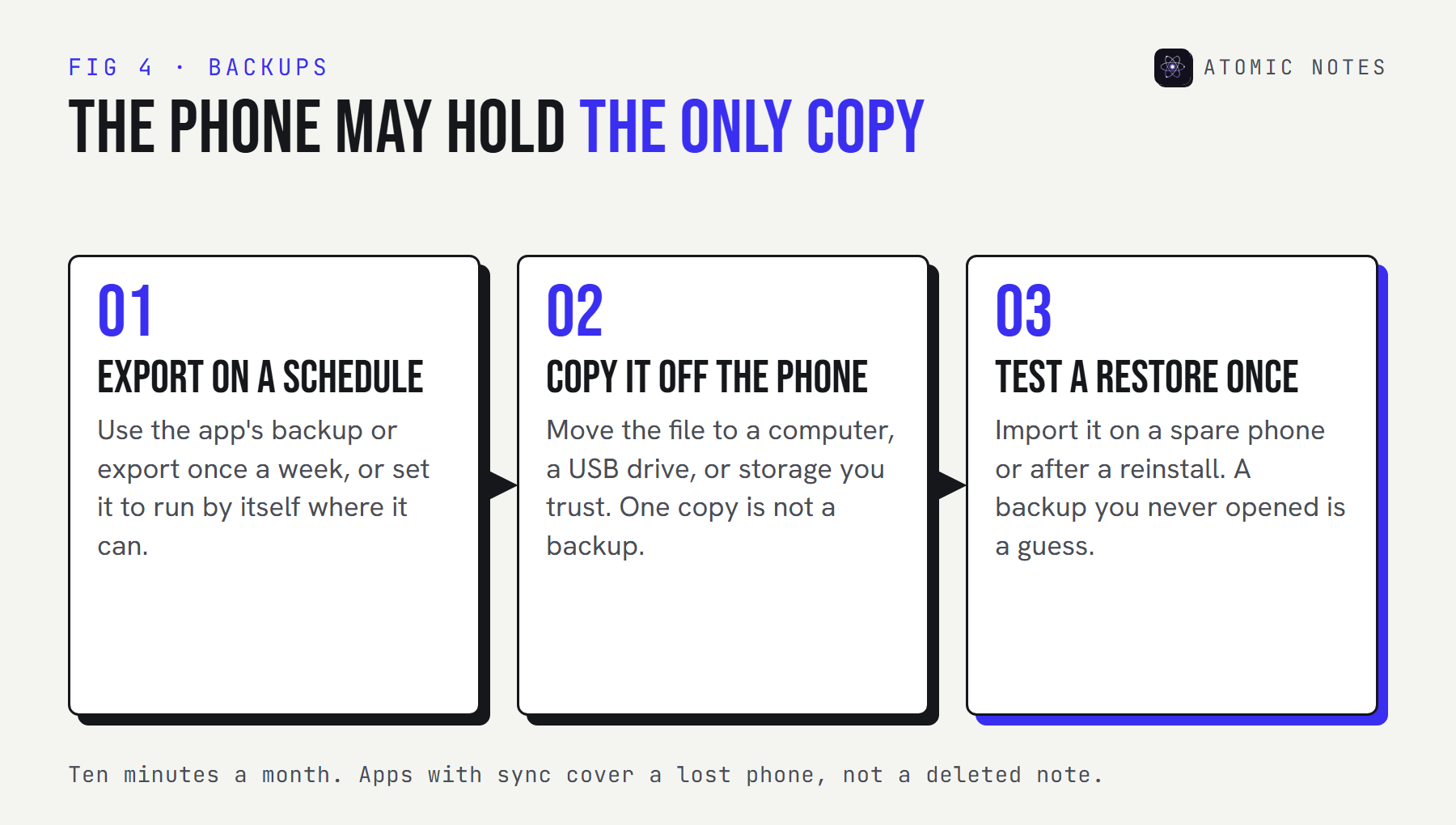
Material Notes can export on a schedule. Open Notes and sNotz have one-tap backups. Orgzly Revived and Notes keep plain files, so any folder sync tool can copy them. Atomic Notes keeps a synced copy in your Drive, which covers a lost phone but not a deleted note, so empty the Recycle Bin with care.
Which one fits you?
Start with one question: will these notes ever need to reach another device? The best offline notes app Android gives you follows from that answer. If not, pick from the four with no internet permission. If yes, pick by where the copy should go.
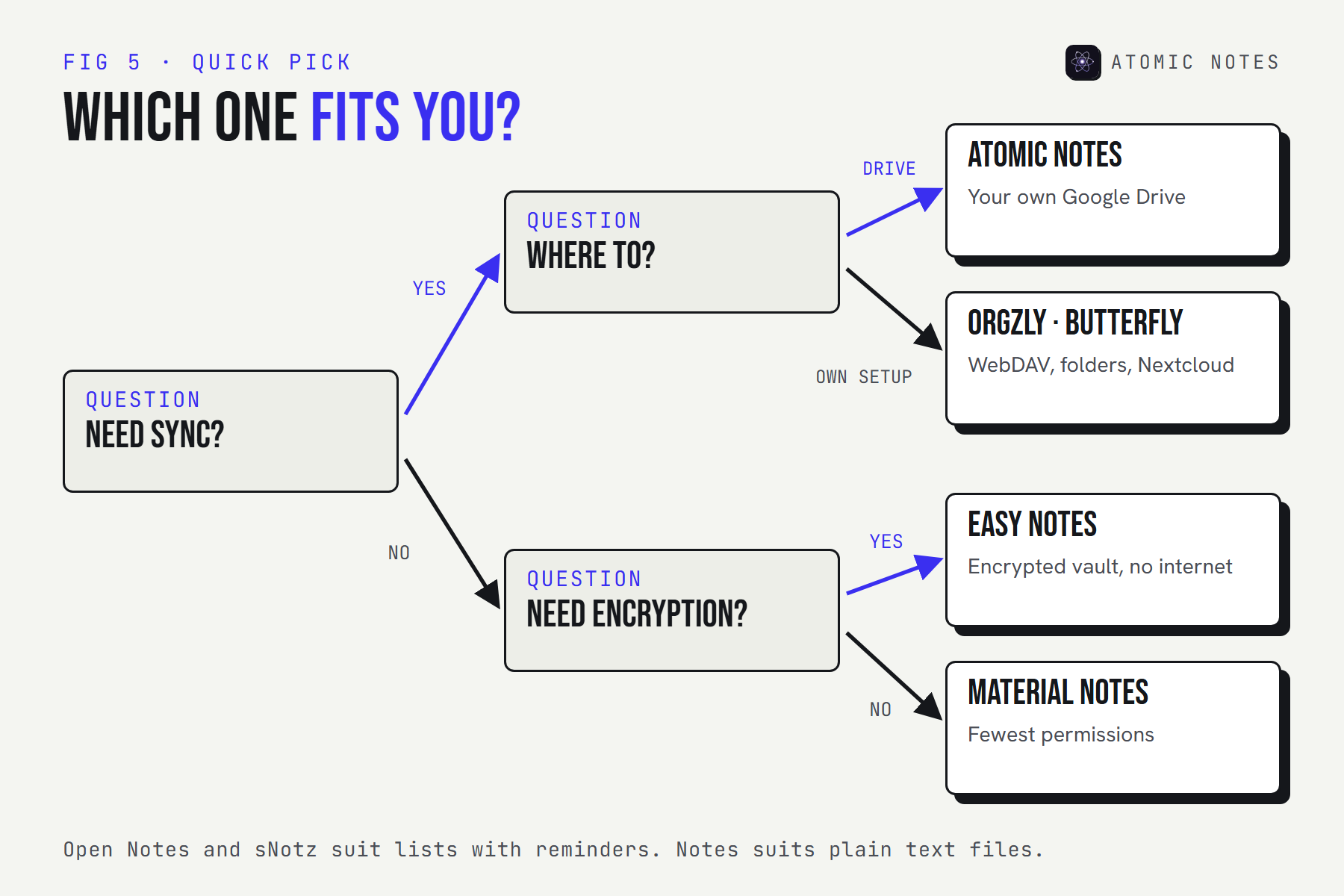
| If you want | Pick |
|---|---|
| Offline notes that sync to your own Google Drive | Atomic Notes |
| The fewest permissions possible | Material Notes |
| Markdown with reminders and a screenshot block | Open Notes |
| Fast checklists and widgets | sNotz |
| An encrypted vault with no internet at all | Easy Notes |
| Org mode planning with WebDAV sync | Orgzly Revived |
| Plain text files any app can read | Notes |
| Handwriting and sketches | Butterfly |
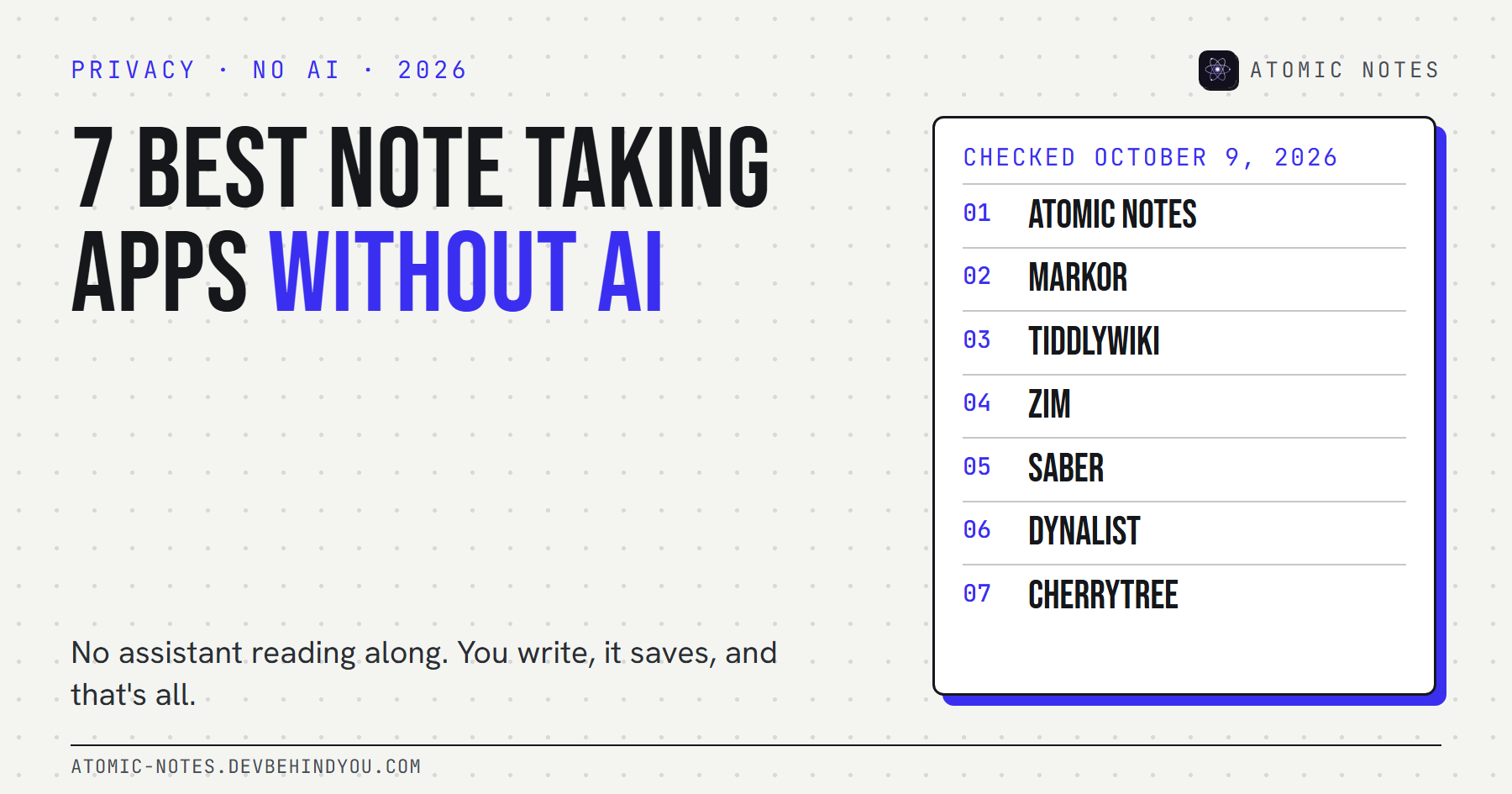
Readers often ask about Notally X, Markor, and Joplin too. Notally X is a well-kept offline notes app with no account. Markor appears in my list of notes apps without AI, and Joplin sits in my guide to encrypted notes apps, since each app shows up in only one of my roundups.
My take: the best offline notes app Android owners can install is the one they never have to think about. It opens instantly, saves without asking, and has a backup you've tested once. Everything else is preference.
FAQ
What is the best offline notes app for Android?
For notes that never leave the phone, Material Notes, with no internet permission and a very short permission list. For offline writing that syncs later into your own Google Drive, Atomic Notes. For an encrypted vault with no internet at all, Easy Notes.
Is there an offline notes app with no account?
Seven of the eight here need no account at all: Material Notes, Open Notes, sNotz, Easy Notes, Orgzly Revived, Notes, and Butterfly. Atomic Notes asks for a one-time Google sign-in, because it syncs to your own Drive.
How can I check if a notes app works without internet?
Look up its permissions on F-Droid or in the Play Store, and look for "have full network access". Then test it: turn on airplane mode, force-close the app, reopen it, and create, edit, and search a note.
Do offline notes apps save battery?
Usually, a little. An app that never syncs makes no network calls in the background. Sync apps vary, so look for ones that sync on events instead of polling. Atomic Notes stops retrying after three failed attempts until something changes.
Are F-Droid offline notes apps safe?
F-Droid builds each app from its public source and labels anti-features like tracking, which is a strong start. Still read the permission list. An app with no internet permission can't send your notes anywhere, whatever its code says.
Does Atomic Notes work offline?
Yes. It's built local first: every note saves on the phone as you type, and writing, editing, and search never need a connection. You need internet for the first Google sign-in and for sync, which catches up by itself when you reconnect.
Keep reading
- Notes app without internet: why offline should be the default
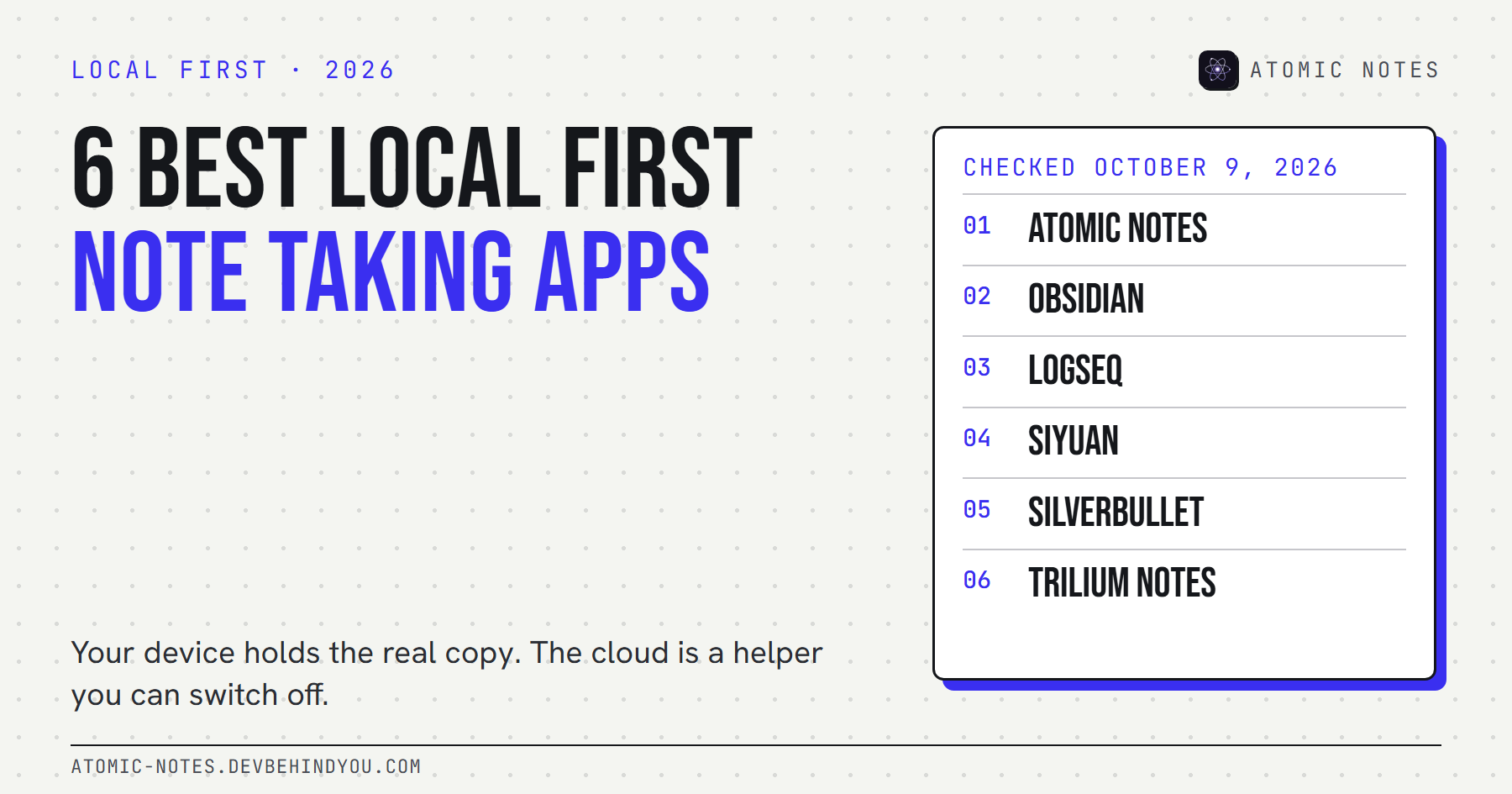
- 6 best local first note taking apps
- 7 best private notes apps for Android
- Moving apps? 7 checks before you switch
Atomic Notes by DevBehindYou
An offline notes app for Android that saves every keystroke to your phone, then syncs to your own Google Drive when a connection shows up. Airplane mode changes nothing about how you write. See the app.