 ATOMIC NOTES
Quick answer
No, it isn't safe to store passwords in notes. A notes app keeps them as plaintext passwords behind one lock, with no breach alerts, no autofill protection, and often no end-to-end encryption on the synced copy. One unlocked phone or one breached account exposes every login at once. Move them into a password manager.
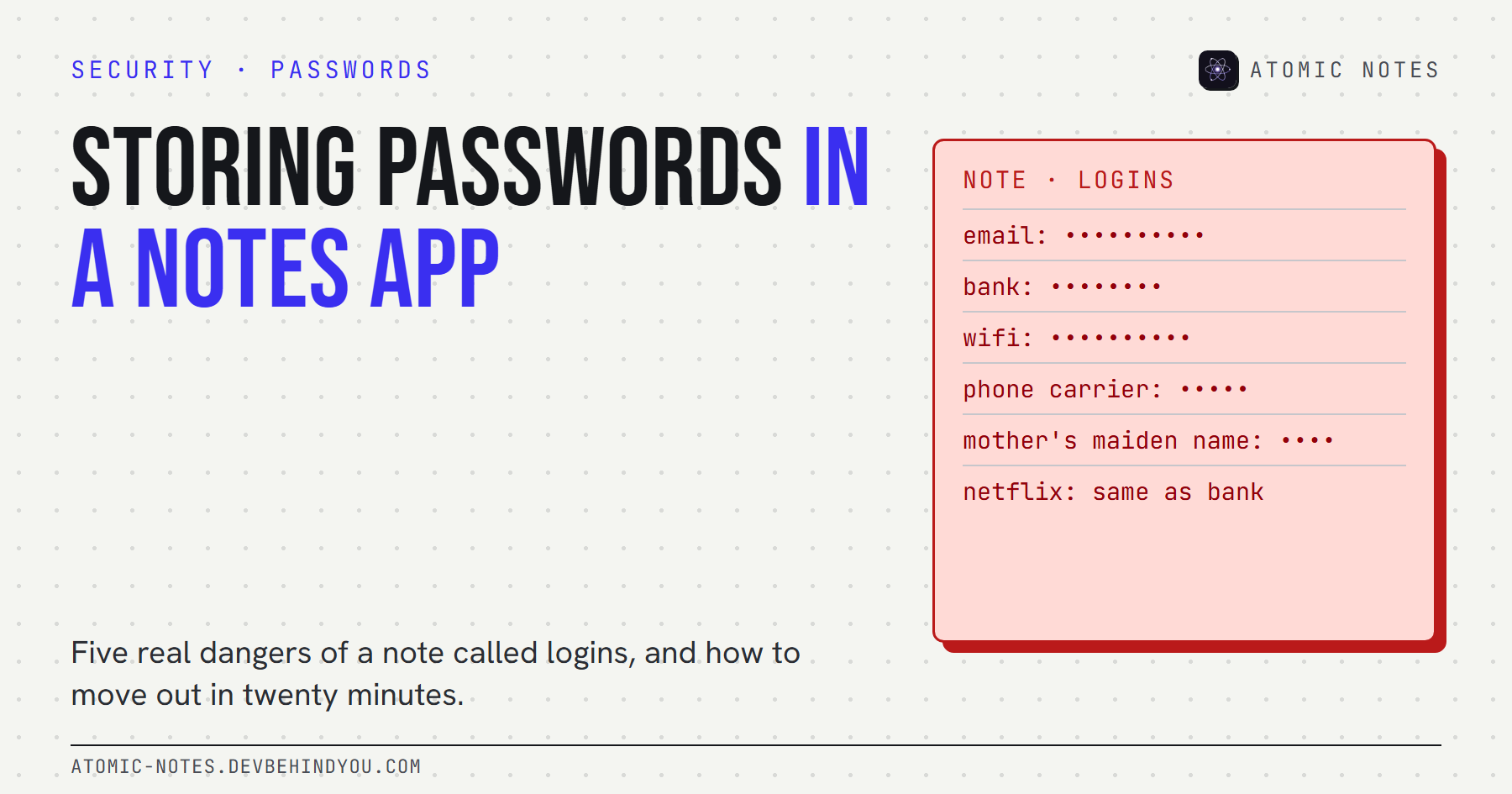
Almost everyone has one. A note called "logins", "passwords", or just "stuff", with the Wi-Fi key at the top and the bank password somewhere in the middle.
It feels safe because it's yours and it's on your phone. That's exactly why it's dangerous. Storing passwords in notes app pages puts every key you own in one unguarded drawer, and that drawer usually syncs to a cloud account too.
I build a notes app, Atomic Notes, and I'll say this plainly: it isn't a password manager, and neither is any other notes app. Here's why, what can actually go wrong, and how to move your passwords somewhere better in about twenty minutes.
Why is storing passwords in notes app pages so common?
Because it's the fastest thing that works today. The notes app is already open, it syncs to your other phone, and search finds the password in two taps. Nobody plans the habit. It grows one login at a time.
There are three usual starting points:
- A new account in a hurry. You sign up on your phone, the site wants a password, and the notes app is one swipe away.
- A shared household login. The streaming service, the Wi-Fi, the router admin page. Someone asks, and a note is the easiest way to share it.
- A password manager that felt like work. Setting one up takes twenty minutes, and storing passwords in notes app pages takes none.
None of these is careless. They're normal. The problem is what the note becomes after a few years: a single list of every key you own, guarded by whatever protects your notes. For most people that's a screen lock and a cloud account password, often the same password that's sitting in the note. That loop is the real reason storing passwords in notes app pages is risky, and it's the loop the rest of this guide breaks.
Is it safe to store passwords in notes?
No. A note is designed to be read, searched, synced, and shared. A password should be none of those things. The two tools solve opposite problems.
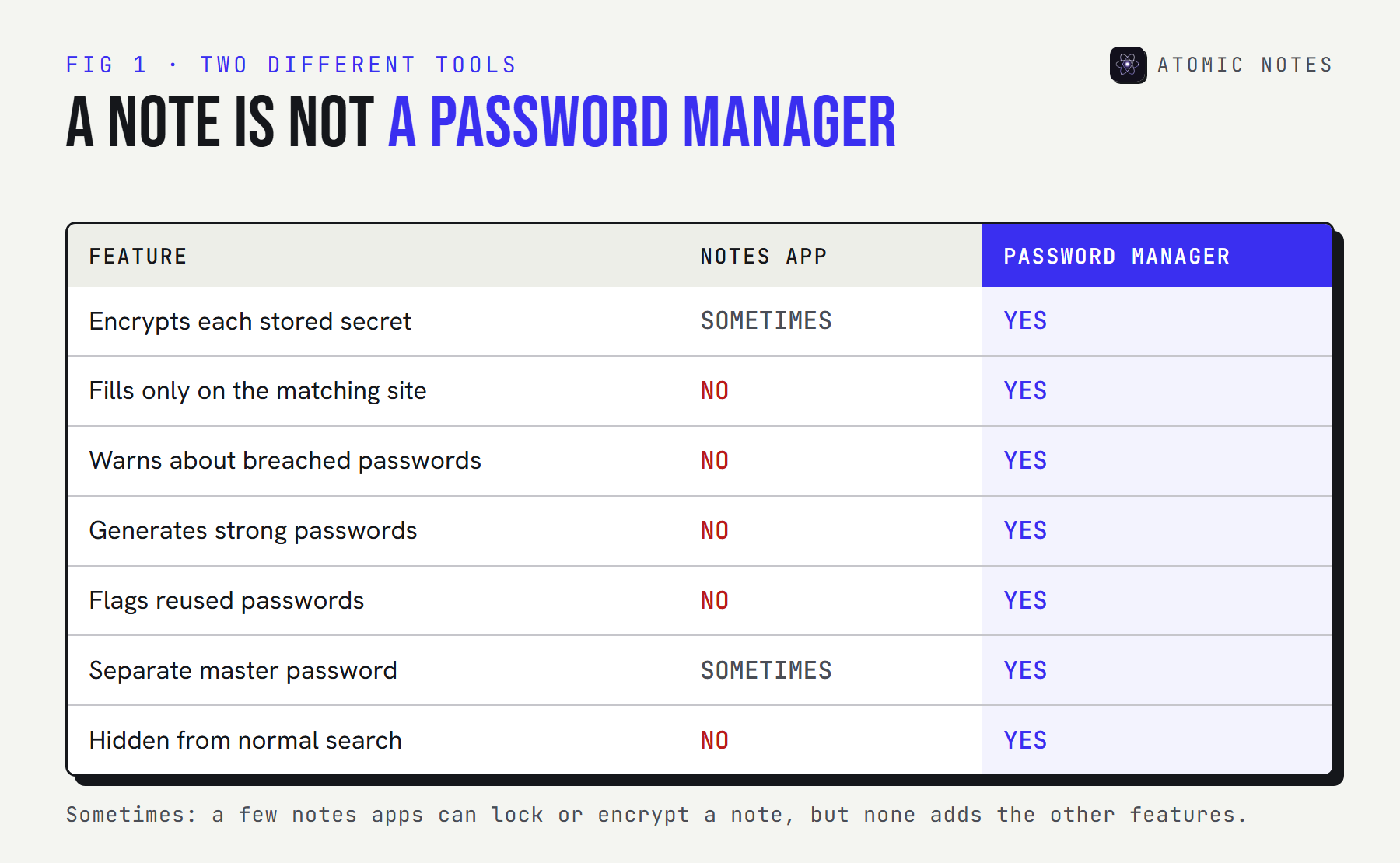
Here's what a notes app is missing for this job:
- Often no separate lock. In many apps, anyone who gets past your screen lock gets the note too.
- No phishing protection. A password manager fills a password only on the site it belongs to. You'll paste a note's password anywhere, including a fake login page.
- No breach alerts. Nothing tells you when one of those passwords shows up in a leak.
- No generator. So the passwords in a note tend to be short and reused.
- Search finds them. Type "bank" into the search bar and there it is.
So is it safe to store passwords in notes if you're careful? Careful helps. It doesn't add any of those five features.
The 5 dangers of storing passwords in a notes app
Each danger starts small and spreads, because one password usually opens the door to the next. That chain reaction is what makes plaintext passwords in a note worse than any single weak password.
Try it on your own note. Tick what's in it and see how far a leak reaches:
TRY IT · THE BLAST RADIUS
Your logins note leaks. How far does it reach?
Tick what's written in your note today.
SOMEONE WITH THIS NOTE CAN
- Reset almost any other account
- Read every reset link and code sent to you
- Through your email: reset bank or card login, social media, cloud storage, even though they aren't in the note.
A typical picture of how account recovery works. Two-step verification on each account cuts this down a lot.
1. Account takeover
Whoever reads the note can sign in as you. No hacking needed. They copy, paste, and they're in.
Credential theft is still the most common way attackers get in. Verizon's 2025 Data Breach Investigations Report found that credential abuse was the leading initial attack vector, at 22% of breaches, just ahead of exploited vulnerabilities.
2. Recovery email compromise
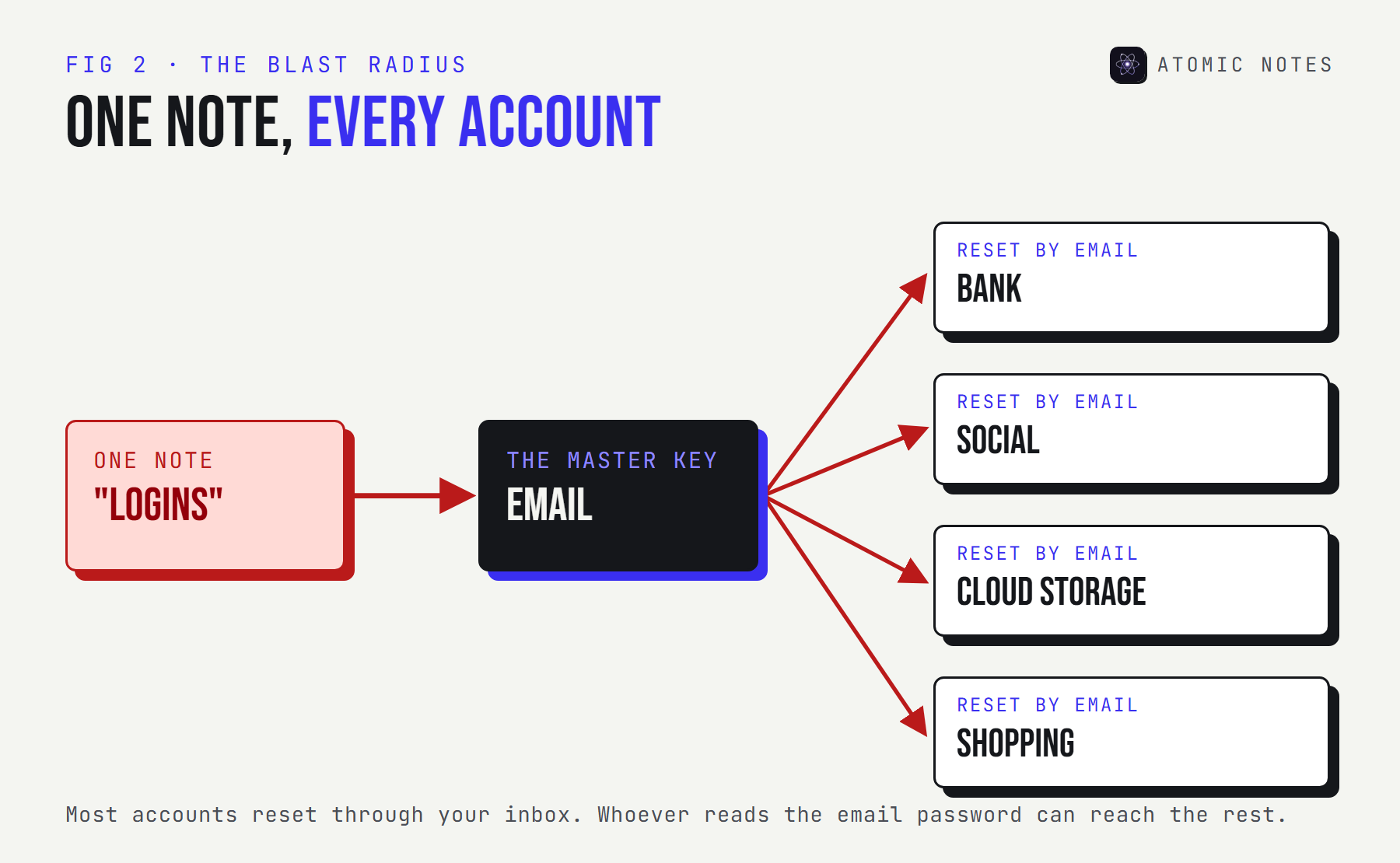
Your email password is the master key. Most account resets go to your inbox, so whoever controls it can reset the bank, the social accounts, and the cloud storage one by one.
This is the step that turns one leaked note into a full account takeover. If your email password sits in that note, the note is effectively the password to everything.
3. Financial account security breaks down
Bank, card, and payment app logins are the reason people steal these notes. Even with two-step verification, a note that holds the password and the security answers makes social engineering far easier.
Security questions are the quiet risk here. If your note holds "mother's maiden name" and "first pet", those answers work on the phone with your bank too.
4. Reused passwords spread the damage
A password in a note is usually a password you reuse. People write things down because they're hard to remember, then use the same one everywhere so they only need to remember one note.
Attackers test leaked email and password pairs across hundreds of sites automatically. One leak from a shopping site, plus a reused password, equals access to accounts you forgot you had.
5. Identity theft
Notes with passwords often hold more: ID numbers, addresses, card details, and security answers. Together they're enough to open accounts in your name, not just break into existing ones.
You can change a password in a minute. You can't change your date of birth or your national ID number, which is why identity theft takes years to clean up.
Is it safe to store passwords in Google Keep or Samsung Notes?
Neither is a password manager, though the risks differ. Here's the honest picture for the apps people ask about most.
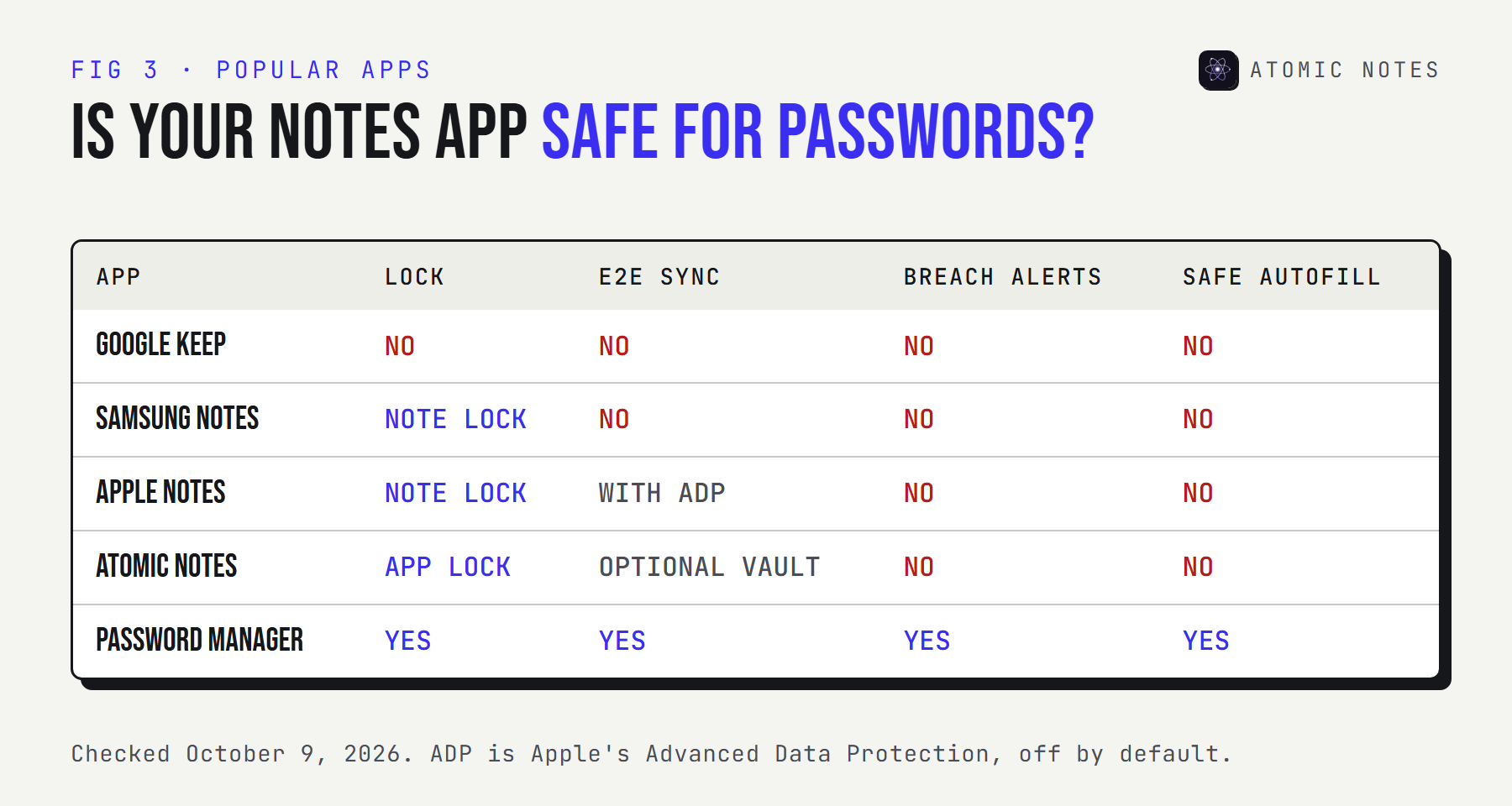
- Google Keep. So, is it safe to store passwords in Google Keep? Keep has no lock for individual notes, and Keep notes aren't end-to-end encrypted. Your passwords are as safe as your Google account and your unlocked phone.
- Samsung Notes. Is Samsung Notes safe for passwords? It can lock a note with a password or your fingerprint, which helps against someone holding your phone. A lock isn't breach alerts, autofill, or a generator, though.
- Apple Notes. You can lock notes with your device passcode. Regular synced iCloud notes are end-to-end encrypted only if you turn on Advanced Data Protection.
- Atomic Notes. It has an app lock and an optional end-to-end vault. Neither makes it a password manager, and I'd rather you didn't use it as one.
A locked note is better than an unlocked one. It's still a note.
What should you use instead of a notes app?
A password manager, protected by one strong passphrase and two-step verification. It generates unique passwords, fills them only on the right site, and warns you when one leaks.
Should I keep passwords in notes even for a week while I set one up? If you must, keep them short-lived and behind an end-to-end encrypted vault, then delete the note the moment they're moved. CISA's guidance is short: let a password manager create and store long, unique passwords for every account.
Before you move anything, check whether any of your passwords already appear in known breaches. This command uses the Pwned Passwords range API. Only the first five characters of the password's SHA-1 hash leave your computer:
Terminal · check one password against known breaches
read -rs PW   # type the password, nothing is shown or saved to history
HASH=$(printf '%s' "$PW" | sha1sum | cut -c1-40 | tr 'a-f' 'A-F'); unset PW
curl -s "https://api.pwnedpasswords.com/range/${HASH:0:5}" | grep -i "${HASH:5}" \
  || echo "Not found in known breaches"
# A match prints SUFFIX:COUNT. For "password123" the count is over 2 million.
Any password that matches goes to the top of your change list.
How do you move passwords out of your notes today?
Five steps, about twenty minutes for most people, and then you're done storing passwords in notes app pages for good. Start with the accounts that can reset other accounts.
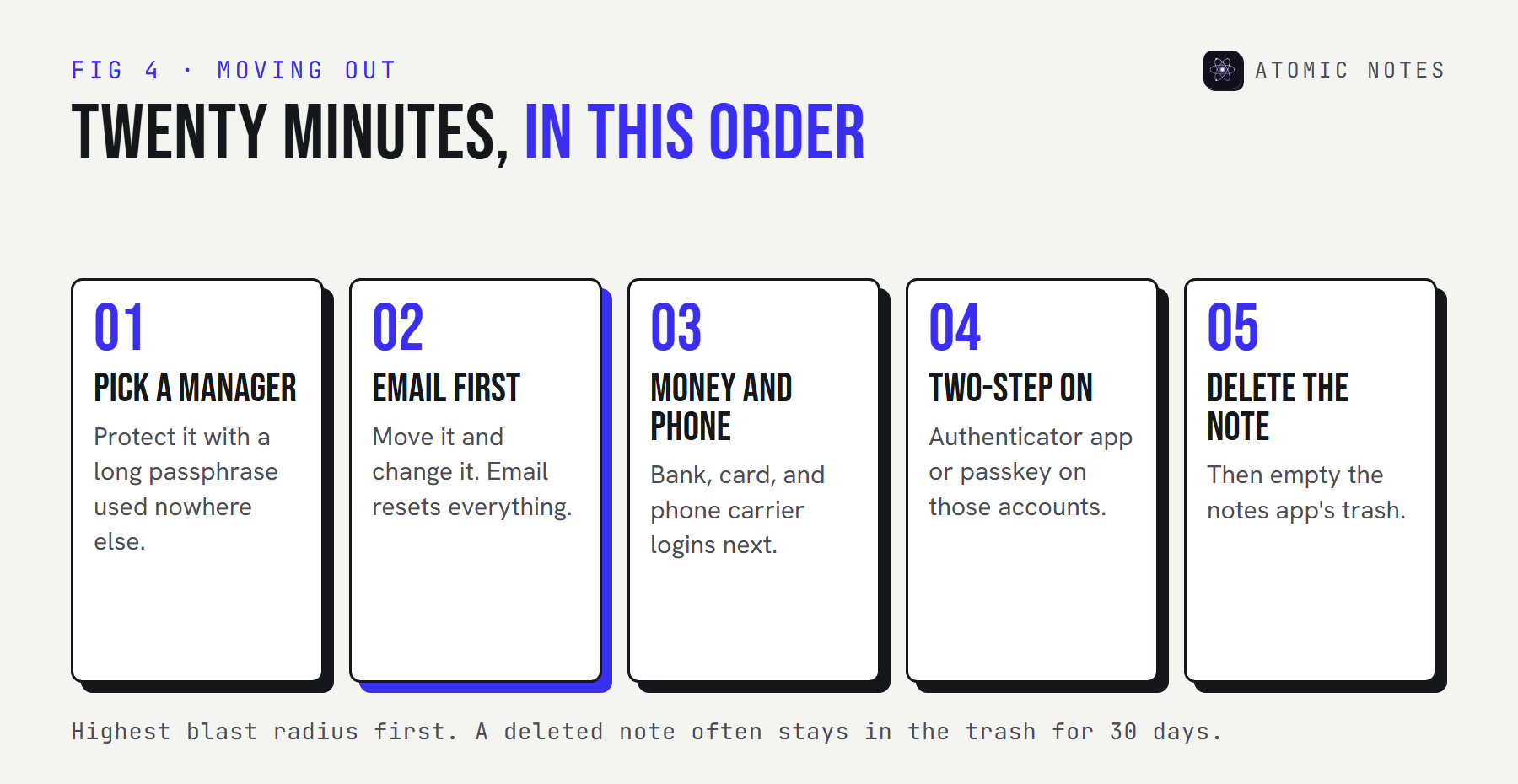
- Pick a password manager and protect it with a long passphrase you've never used anywhere else.
- Move your email password first, and change it while you're there. Email resets everything else.
- Move the bank, phone carrier, and cloud storage logins next. These are the accounts attackers use for money and for SIM swaps.
- Turn on two-step verification on those same accounts, ideally with an authenticator app or a passkey.
- Delete the note, then empty the notes app's trash or recycle bin. A deleted note often lives on for 30 days.
Not sure what else is hiding in your notes? Paste a note below. The scanner runs only in your browser and flags things that look like passwords, recovery phrases, or card numbers:
TRY IT · SECRET SCANNER
What's hiding in your notes?
Paste a note. It's checked in this page only and never sent anywhere. Results are masked.
0Paste a note to scan it.
Pattern matching, not proof. It can miss secrets and flag harmless lines.
Where does Atomic Notes fit?
It's a notes app, and it should stay one. The vault is for private writing, not for credentials.
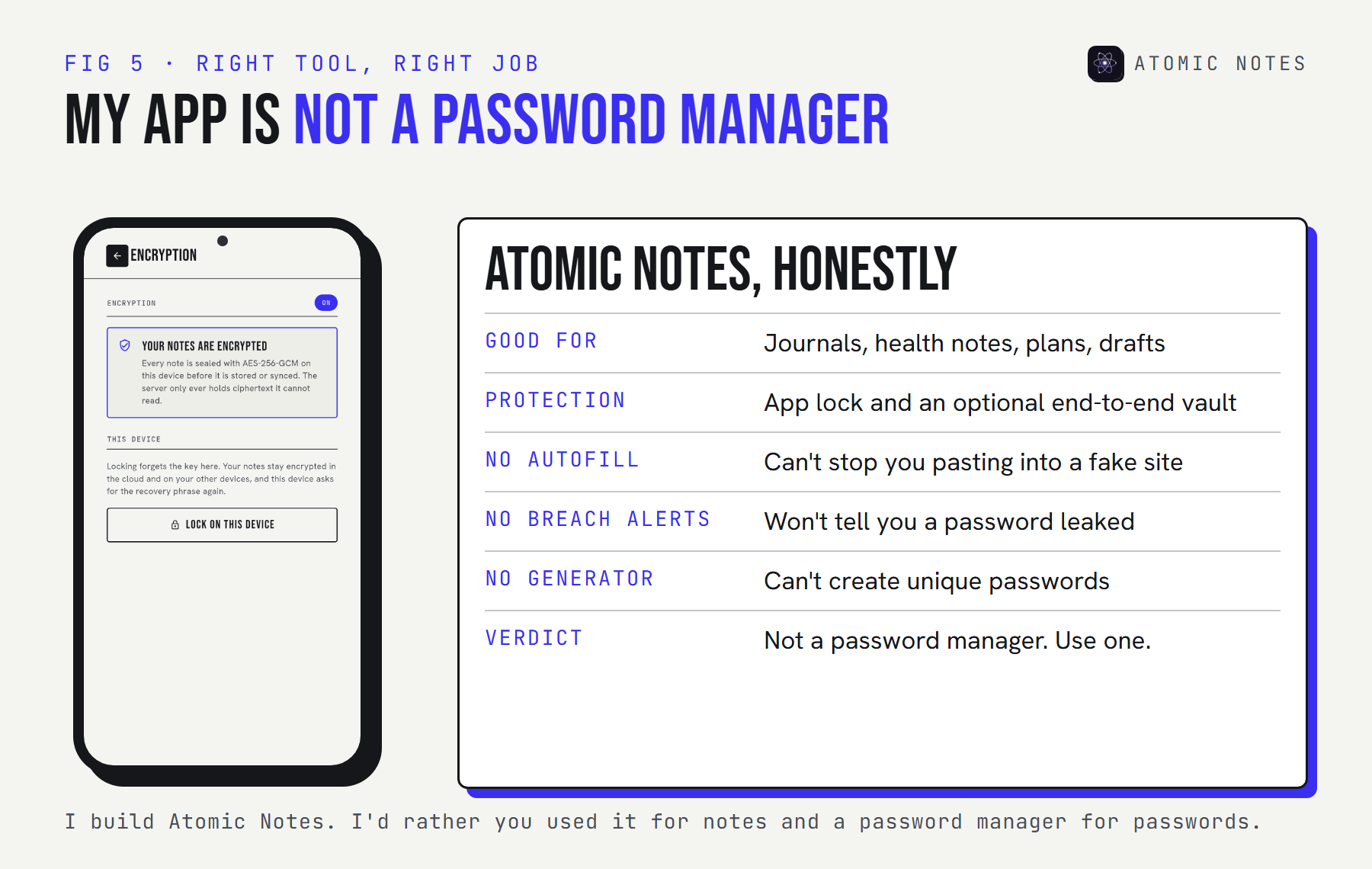
Atomic Notes has a biometric app lock and an optional end-to-end vault, sealed with AES-256-GCM behind a six-word phrase. That protects a journal or a medical note well. It doesn't fill passwords on the right site, warn you about breaches, or generate anything, and those are the things that actually stop account takeover. My take: use the right tool for each job, and keep your notes app for notes.
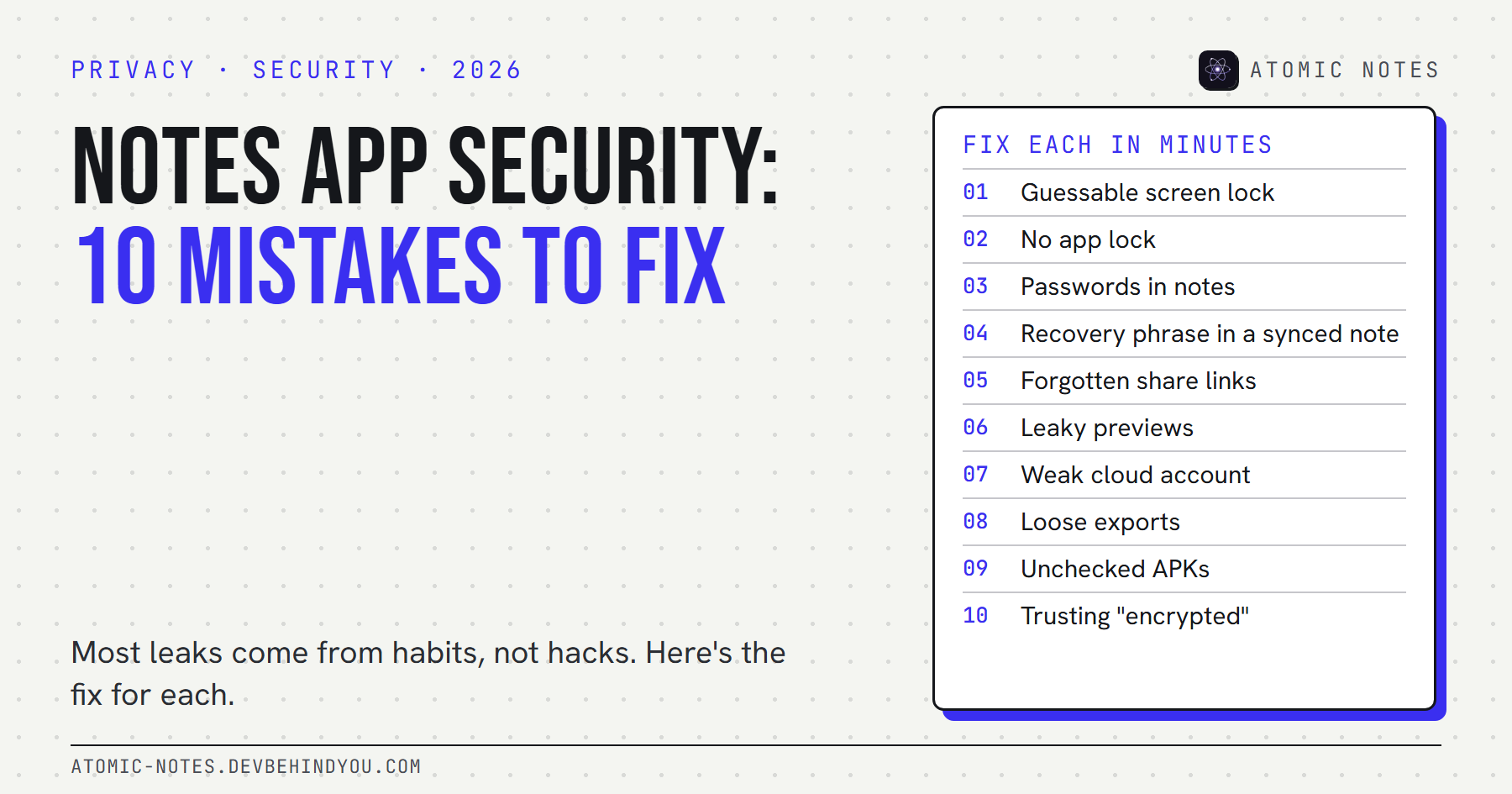
My guide to ten notes app privacy mistakes covers the other habits worth fixing while you're at it.
FAQ
Is it safe to keep a passwords note on my phone?
No. Anyone past your screen lock can read them, search finds them instantly, and synced copies usually aren't end-to-end encrypted. A notes app also can't warn you about breaches or stop you pasting a password into a fake login page.
Should I keep passwords in notes if the note is locked?
A locked note is better than an open one, but it still lacks breach alerts, a generator, and site-matched autofill. Use the lock as a short-term stopgap while you move everything into a password manager, then delete the note.
Is it safe to store passwords in Google Keep?
Not really. Keep has no lock for individual notes, and its notes aren't end-to-end encrypted, so they're only as safe as your Google account and your unlocked phone. A password manager is the safer home.
Is Samsung Notes safe for passwords?
Safer than an unlocked note, because Samsung Notes can lock a note with a password or fingerprint. It still has no breach alerts, generator, or phishing-resistant autofill, so treat the lock as a temporary measure, not a password manager.
What is the biggest danger of storing passwords in notes app pages?
Your email password. Most accounts reset through your inbox, so anyone who reads that one line can take over everything else in turn. Move it first, change it, and turn on two-step verification.
Can I use Atomic Notes as a password manager?
Please don't. Its vault encrypts private notes well, but it has no autofill, breach alerts, or password generator, which are the features that prevent account takeover. Use a dedicated password manager for credentials and Atomic Notes for everything else.
Keep reading
- Notes app security: 10 privacy mistakes to fix
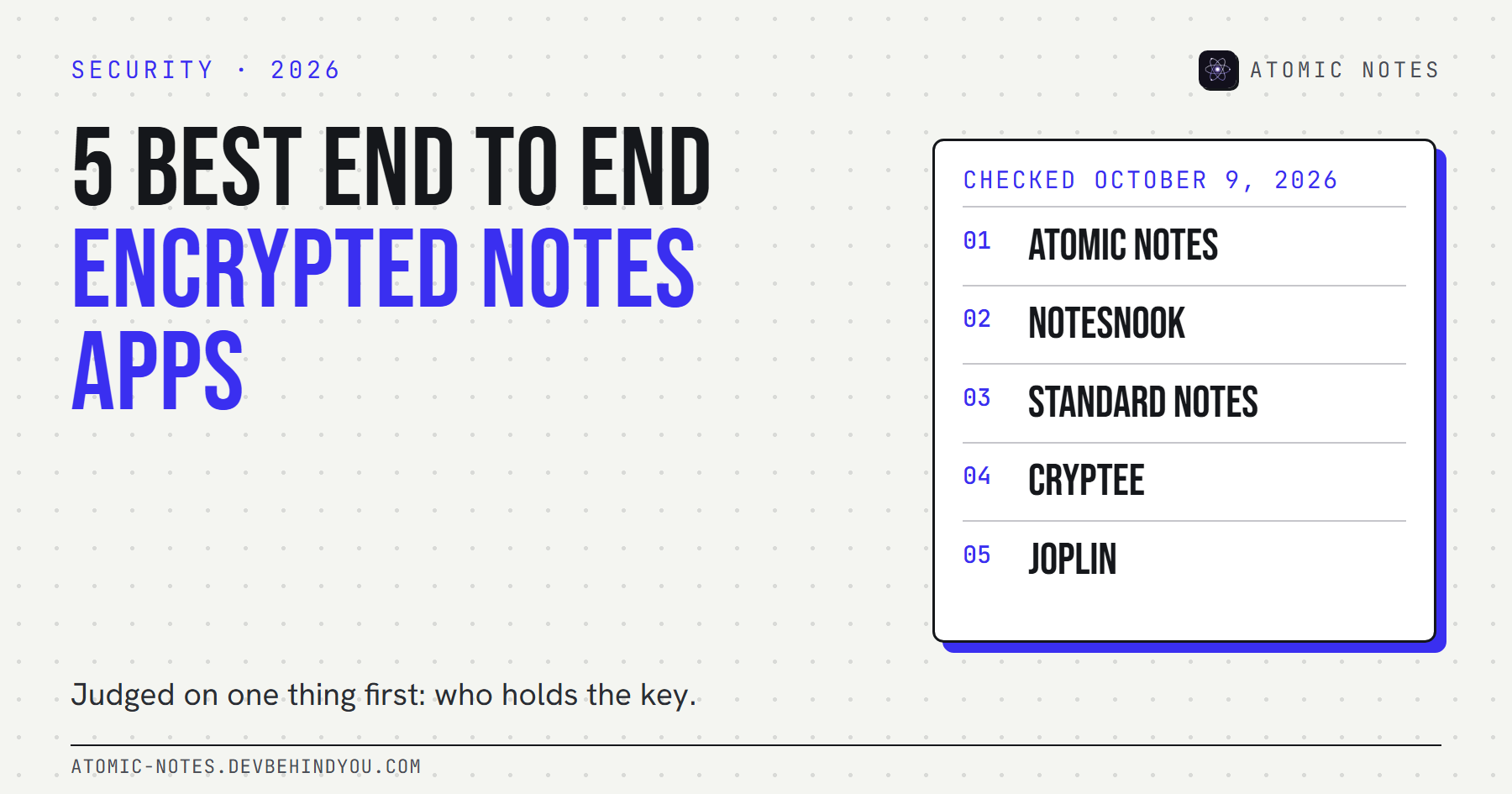
- 5 best end to end encrypted notes apps
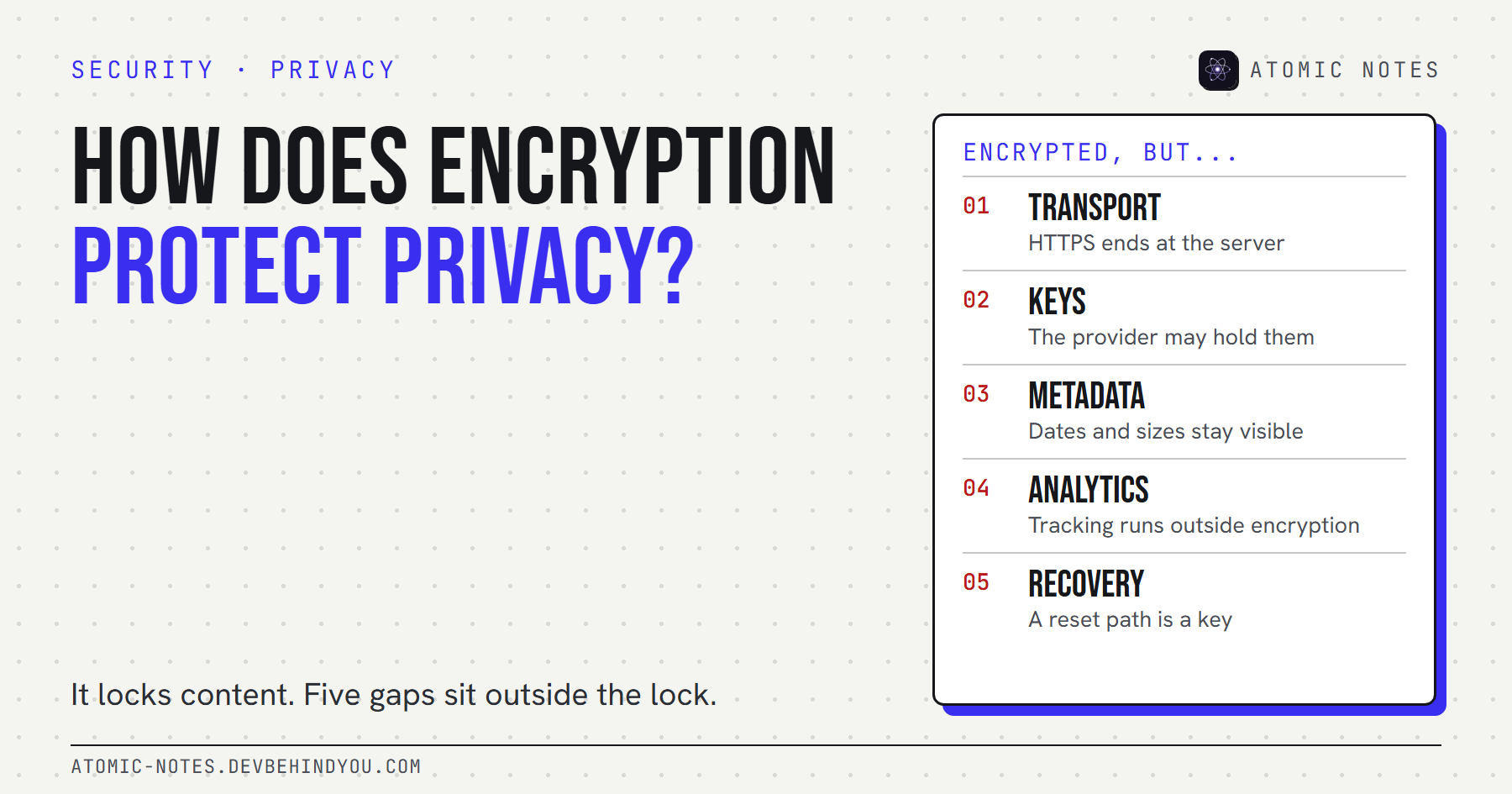
- Encrypted notes explained: T2T vs end to end encryption
Atomic Notes by DevBehindYou
For the private writing that isn't a password: journals, health notes, plans. Your phone first, your own Google Drive second, and an optional end-to-end vault. See how it works.
Sources
- 2025 Data Breach Investigations Report. Verizon
- Use strong passwords. CISA
- Turn on multifactor authentication. CISA
- Credential stuffing. OWASP
- Pwned Passwords API. Have I Been Pwned
- iCloud data security overview. Apple Support
- Google Keep is missing basic features. Android Police
- Secure your Samsung Notes documents with a fingerprint or password. SamMobile